If you’re looking for an ai photo editor, this review explains how GPT Image 2 handles generation and edits, what its token pricing means, and why a dedicated batch editor may suit volume work better.
GPT Image 2 is OpenAI’s image generation and editing model — the one behind ChatGPT Images 2.0 — sold through the API per image token, with flexible resolutions up to 4K and high-fidelity image inputs. I went through the GPT Image 2 model card, the image generation guide and the API pricing page to explain what GPT Image 2 does, what a single image really costs at each quality level, and where a dedicated batch image editor is the more practical tool.
OpenAI describes GPT Image 2 as its “state-of-the-art image generation model for fast, high-quality image generation and editing”, and the launch of ChatGPT Images 2.0 on 21 April 2026 put it in front of every ChatGPT user at once. For developers the story is more interesting and more confusing: GPT Image 2 is priced in image tokens, not per picture, and the same docs now also list a newer GPT Image 2.5 pair at double the rate. I spent a week with the GPT Image 2 model card (snapshot gpt-image-2-2026-04-21), the image generation guide with its token table and calculator, and the pricing page, to work out what GPT Image 2 costs and what it is for.
Because GPT Image 2 is a model, not a workflow, I kept a browser-based batch image editor with its own credit system, Supavisual, open in the next tab for the volume work — backgrounds, upscales, expansions — that an API call per image is the wrong shape for. I come back to that at the end.
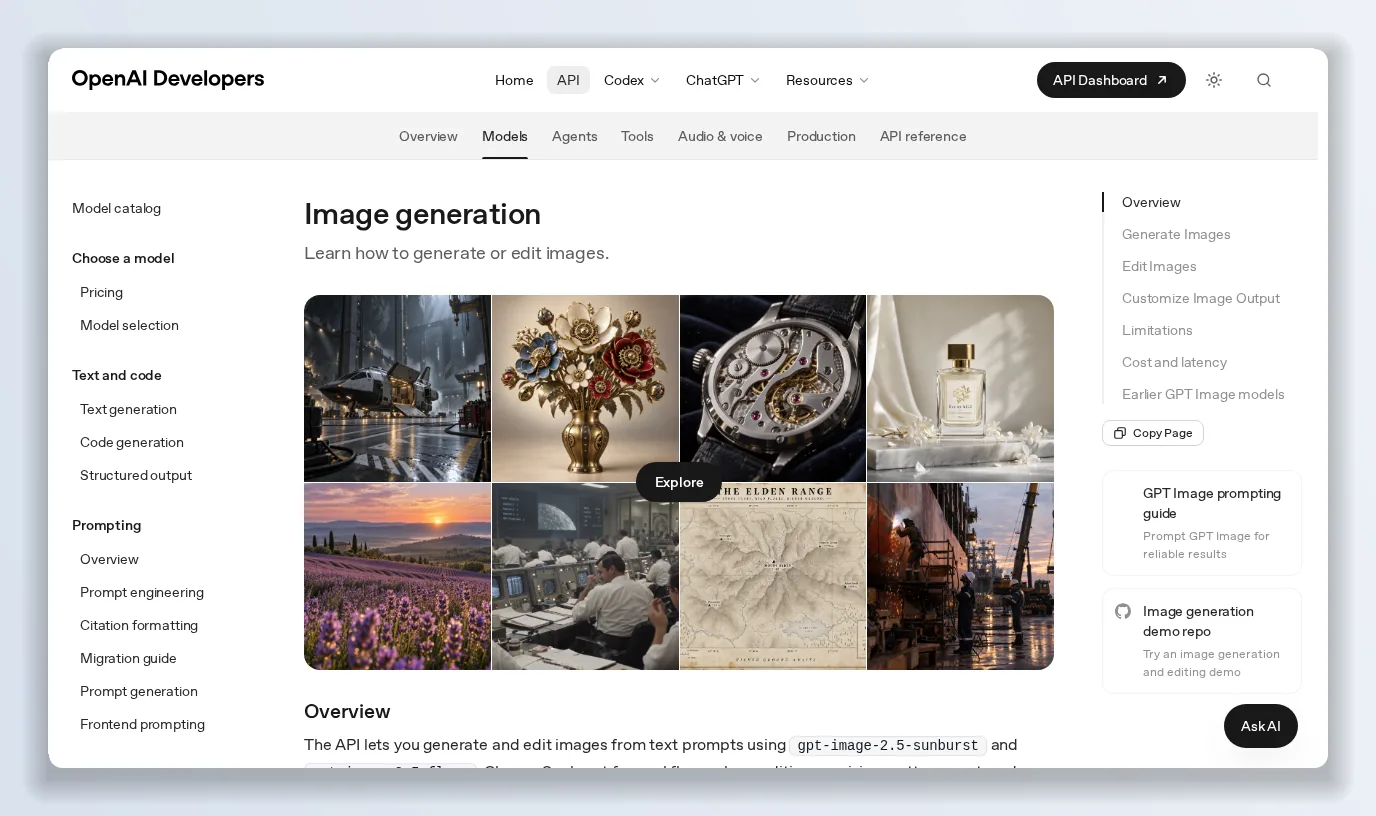
The guide covers both the Image API (generations and edits) and the Responses API, where GPT Image 2 runs as a tool inside a conversation.
What GPT Image 2 is
GPT Image 2 is a natively multimodal image model: text and image in, image out. The model card lists text as input-only, image as input and output, and audio and video as unsupported. It runs on two endpoints — v1/images/generations and v1/images/edits — and as the image generation tool inside the Responses API, where a mainline model such as GPT-6 Astra can call GPT Image 2 mid-conversation, take a file ID as input and iterate on edits across turns. Streaming, function calling, structured outputs and fine-tuning are all "not supported"; GPT Image 2 does one thing.
Two properties the docs emphasise: flexible image sizes and high-fidelity image inputs. GPT Image 2 “always processes image inputs at high fidelity”, which is why its edits preserve detail — and why edit requests with reference images consume more input tokens.
Sizes, quality and formats
GPT Image 2 supports “thousands of valid resolutions”. The recommended sizes are 1024×1024, 1536×1024 and 1024×1536, but any WIDTHxHEIGHT works if both are multiples of 16, the aspect ratio is between 1:3 and 3:1, no edge exceeds 3,840 pixels, and the pixel count is between 655,360 and 8,294,400 — that upper bound is 4K, with anything above 2560×1440 marked experimental. Quality runs low, medium, high and auto on GPT Image 2 (the 2.5 models add xhigh and max). Output is PNG by default, with JPEG and WebP at chosen compression levels, and transparent backgrounds on PNG or WebP.
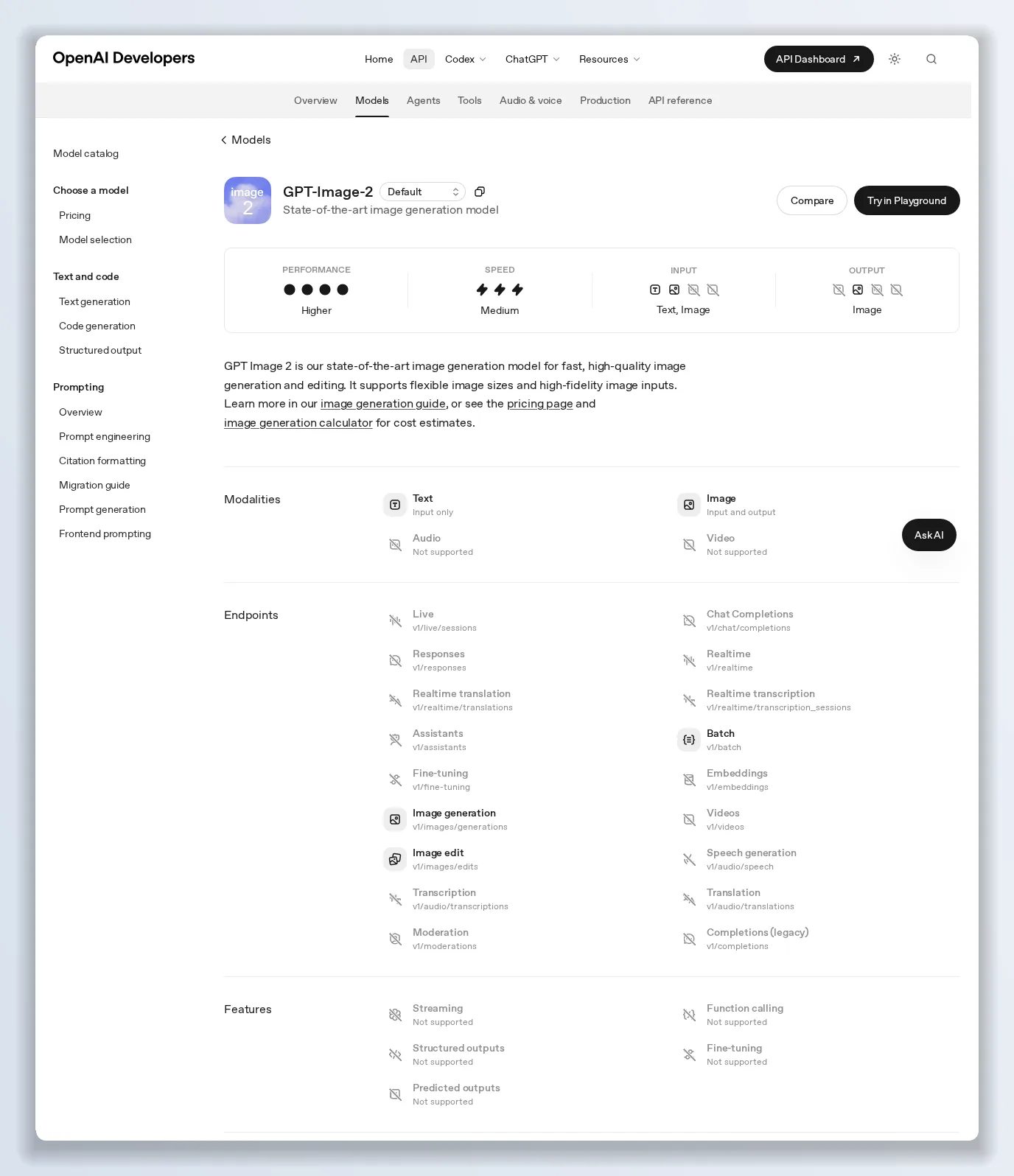
Speed “medium”, performance “higher”, one snapshot dated 21 April 2026, and rate limits from Tier 1 (5 images a minute) to Tier 5 (250).
GPT Image 2 pricing: tokens, not pictures
This is the part that trips people up. GPT Image 2 is billed per million tokens, with separate rates for text and image:
- Image tokens — $4.00 input, $1.00 cached input, $15.00 output per 1M.
- Text tokens — $2.50 input, $0.625 cached.
An image’s output cost depends on how many tokens it takes to render, which the guide tabulates by size and quality:
- Low — 272 tokens square, ~400 portrait or landscape.
- Medium — 1,056 tokens square, ~1,570 portrait or landscape.
- High — 4,160 tokens square, ~6,200 portrait or landscape.
So a high-quality 1024×1024 image is about 6 cents of output tokens, a medium one about 1.6 cents, a low draft under half a cent — plus the prompt’s text tokens, and, for edits, the input image tokens at $4 per million. The guide’s calculator does this arithmetic for any resolution. Two more facts from the pricing and model pages: GPT Image 2 is not available on the Free tier, and it is also sold at the same $4/$15 rate through the Batch API. The newer gpt-image-2.5-sunburst (editing precision) and gpt-image-2.5-flare (fast everyday generation) are listed at $8 input / $2 cached / $30 output — double GPT Image 2.
Inside ChatGPT, GPT Image 2 draws on the plan’s usage allowance, burning it 3–5x faster than a text turn, and on credit-billed plans is rated at 200 / 50 / 750 credits per million image tokens.
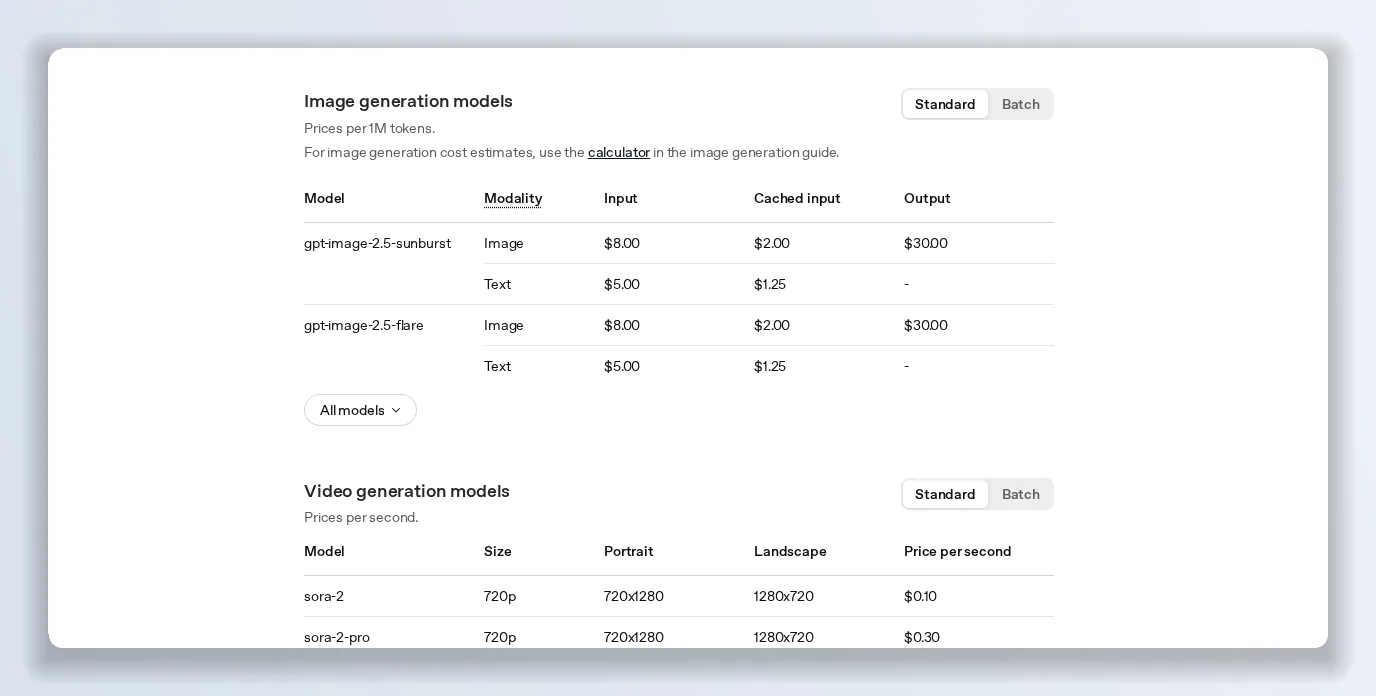
The pricing page lists GPT Image 2 alongside the 2.5 models; the guide’s calculator turns token rates into a per-image estimate.
Rate limits and verification
Rate limits scale with your usage tier: Tier 1 gets 100,000 tokens and 5 images a minute; Tier 3, 800,000 and 50; Tier 5, 8 million and 250. That Tier 1 ceiling — five images a minute — is the first thing a new integration hits. The guide also notes that you “may need to complete the API Organization Verification” before using GPT Image models at all.
What GPT Image 2 gets right
- Edits that respect the source. High-fidelity image inputs and multi-turn editing in the Responses API make GPT Image 2 a genuine editor, not just a generator.
- Any aspect ratio, up to 4K. Custom dimensions are a real advantage over fixed-size models.
- Cheap drafts. Low quality at under a cent lets you iterate before you pay for high.
- Conversational integration. Image generation as a tool inside an agent, with file IDs as inputs.
- Transparent backgrounds and format control built into the API.
Where GPT Image 2 falls short
- Token pricing hides the per-image cost. You need the calculator; “$15 per million” tells a marketer nothing.
- Already superseded on the price list. GPT Image 2.5 is where OpenAI’s newest quality settings live, at twice the price.
- Tier 1 rate limits of five images a minute rule out batch jobs for new accounts.
- Medium speed, no streaming. Interactive tools feel the latency.
- A model, not a workflow. No batch UI, no background removal or upscaling as named operations, no asset library — everything is a prompt and a request.
GPT Image 2 vs the alternatives
Against GPT Image 1.5 and 1, GPT Image 2 wins on flexible resolution, edit fidelity and per-token cost transparency. Against GPT Image 2.5, it is the value option: half the price, without xhigh and max. Against dedicated image tools, GPT Image 2 is the better generator and the worse production line — which is the gap I filled with a second tab.
Verdict: is GPT Image 2 worth it in 2026?
For developers building image features into an app or an agent, GPT Image 2 at $15 per million output tokens is a strong default — draft low, finish high, and move to 2.5 only if you need its top quality tiers. For anyone whose real job is editing hundreds of product photos, GPT Image 2’s API is the wrong interface even when the model is right. Read the model card and run the token calculator before you estimate a budget.
The alternative worth keeping next to it: Supavisual
Two GPT Image 2 realities kept a second tab open: every operation is a bespoke prompt and an API call, and the rate limits and token maths make volume work painful. Supavisual is a browser image editor built for exactly that volume.
- Named operations, not prompts. Remove background, upscale, expand the canvas, generative fill — click, don’t write.
- Batch edit up to 10,000 images in one job, the use case an API-per-image model is least suited to.
- Credits you can count. 1 credit is 1 action. Hobbyist is $19 a month for 800 credits — the first month is $9 — and a $99 plan is unlimited.
- No tiers to climb, no organisation verification, no per-minute image cap.
Use GPT Image 2 to create the hero image. Use Supavisual to process the other nine hundred.
Photo by Erick Butler on Unsplash
Originally published on Medium: GPT Image 2 Review 2026: OpenAI's Image Model, Its Token Pricing and Its Limits.