If an ai photo editor is part of your product-image workflow, this review compares OpenArt and SupaVisual on a coffee-mug prompt and a tested edit, including image details, costs, and download watermarks.
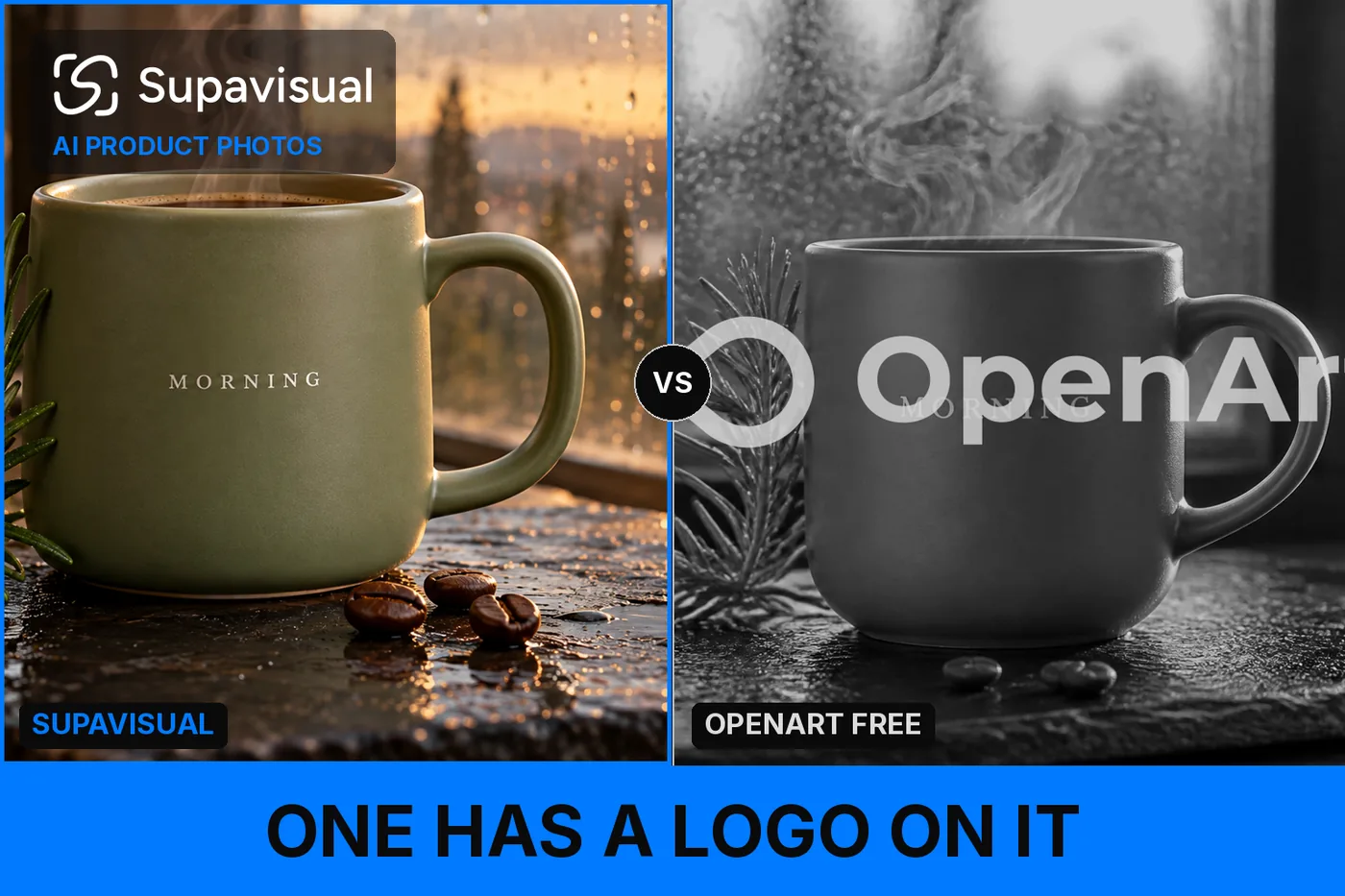
I gave OpenArt (https://openart.ai) and SupaVisual (https://supavisual.com) the same coffee-mug product-photo prompt. OpenArt was faster, and its cheaper image option cost less per picture. But my detail checklist came back 14/18 for OpenArt and 18/18 for SupaVisual. On the Free account I tested, the downloaded files also put a logo across the product.
My verdict in 60 seconds — OpenArt 60/100, SupaVisual 90/100
I would take SupaVisual’s complete, unmarked mug images over OpenArt’s faster and sometimes cheaper results for this job.
- Prompt adherence — OpenArt 7/10 · SupaVisual 9/10 — the mug checklist finished 14/18 against 18/18.
- Detail accuracy — OpenArt 6/10 · SupaVisual 9/10 — OpenArt’s first GPT Image 2 mug scored 4/6; SupaVisual’s first scored 6/6.
- Speed — OpenArt 10/10 · SupaVisual 5/10 — GPT Image 2 took 20.8 s against 48.7 s.
- Price per image — OpenArt 9/10 · SupaVisual 6/10 — GPT Image 2 costs $0.014 against $0.024 on the compared plans.
- Watermark — OpenArt 2/10 · SupaVisual 9/10 — OpenArt’s logo appeared in 3/3 downloaded Free images; SupaVisual’s appeared in 0/3.
- File format and size — OpenArt 8/10 · SupaVisual 8/10 — OpenArt’s first WEBP was 0.26 MB; SupaVisual’s first PNG was 2.12 MB.
- Commercial rights — OpenArt 5/10 · SupaVisual 9/10 — the compared eligible plans cost $34 and $19 per month.
- Credits per edit — OpenArt 3/10 · SupaVisual 9/10 — the tested Seedream 5.0 Pro edit charged 30 credits against 1.
The problems I could point to in the pictures:
- The first mug had a fir- or spruce-like twig where the prompt demanded rosemary; that result scored 4/6.
- OpenArt’s first two mugs appeared empty despite visible steam; both finished at 4/6.
- The first image fused two of the requested three beans, and the centered logo obscured part of “MORNING”; the image still cost 5 credits.
- The Nano Banana Pro image passed 6/6, but added a ghostly mug shape in the window and cost 40 credits.
For coffee-mug product images that need the requested details intact, I would use SupaVisual.
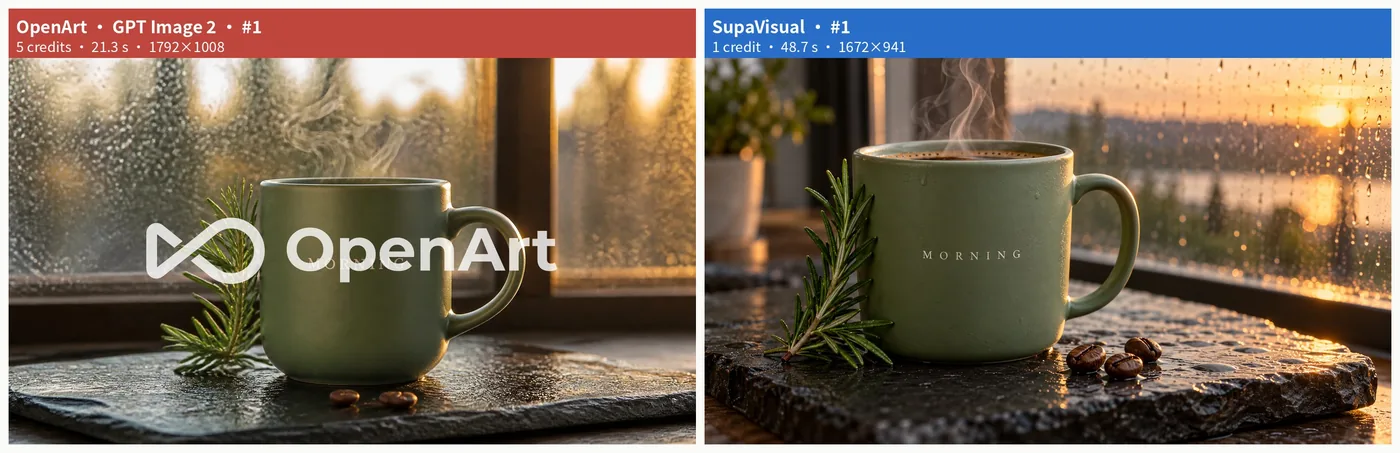 First mug results side by side: OpenArt GPT Image 2 and SupaVisual, from the same prompt.
The prompt: a coffee-shop morning product shot
I asked both products for a 16:9 commercial still. This was the prompt, unchanged:
Create a photorealistic 16:9 commercial product photo of a matte sage-green ceramic coffee mug standing on a wet black slate slab at golden hour. The mug has the word "MORNING" printed in small white serif capital letters on its side. Exactly three roasted coffee beans lie in front of the mug, a thin curl of steam rises from the mug, a sprig of fresh rosemary leans against its left side, and behind it a softly blurred window shows raindrops on the glass. Shallow depth of field, warm rim light from the right.
I checked six details in each download, from the lettering to the wet-slate reflections. OpenArt’s GPT Image 2 produced 1792×1008 WEBPs; its Nano Banana Pro produced a 1376×768 WEBP. SupaVisual’s own image model produced 1672×941 PNGs.
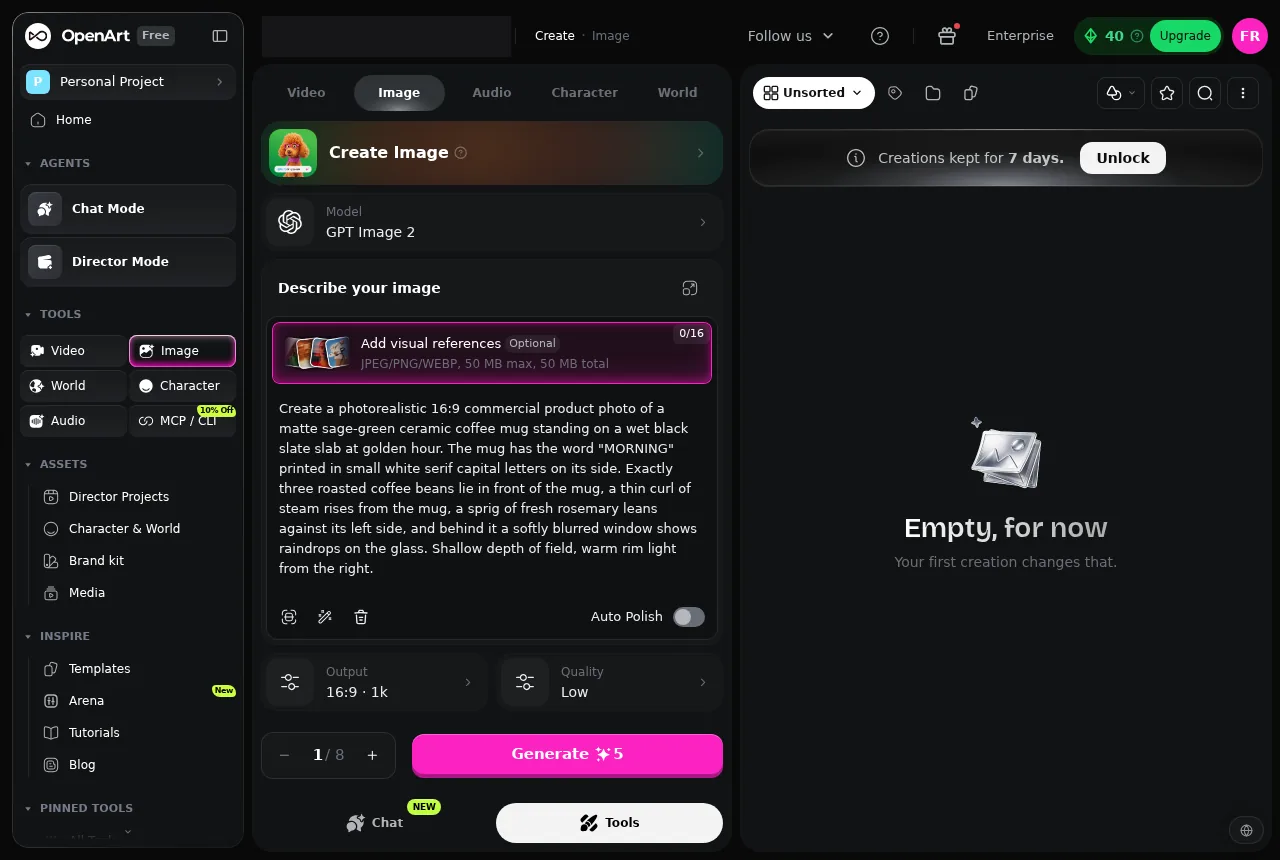 OpenArt’s first GPT Image 2 setup shows the filled-in mug prompt and a balance of 40 credits.
Three images side by side: the cheap run and the costly run
Both OpenArt GPT Image 2 images scored 4/6. In the second, the logo obscured the lettering, the steam lacked a clear curl, and the twig did not convincingly read as rosemary. SupaVisual’s second image scored 6/6.
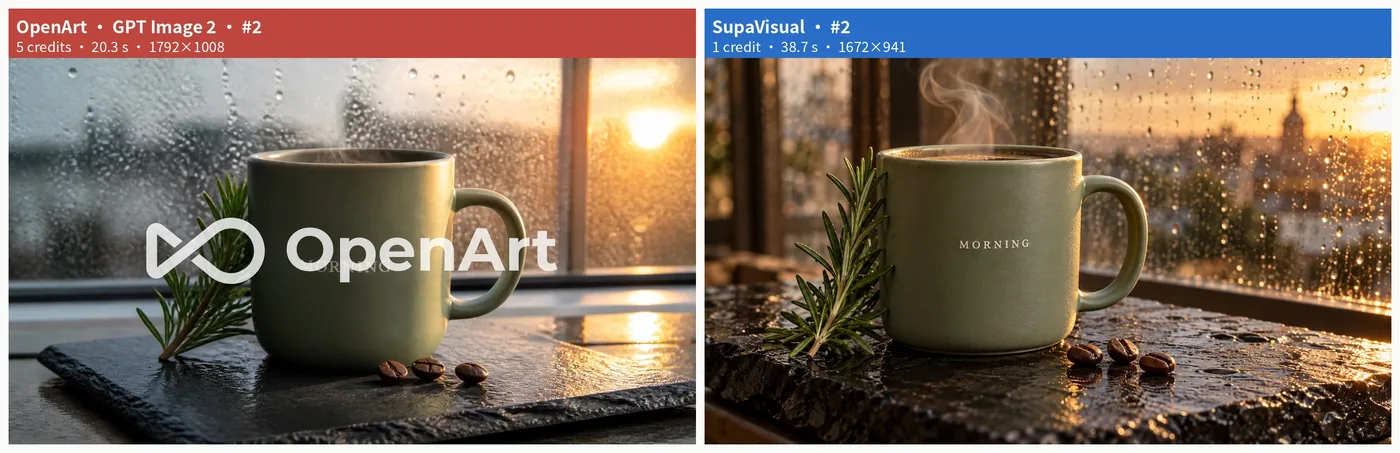 Second mug comparison: OpenArt GPT Image 2 beside SupaVisual, with the same prompt and aspect ratio.
OpenArt’s Nano Banana Pro matched SupaVisual’s third image at 6/6: a picture-quality tie. But OpenArt charged 40 credits against 1, and its window contained an unrequested translucent mug shape.
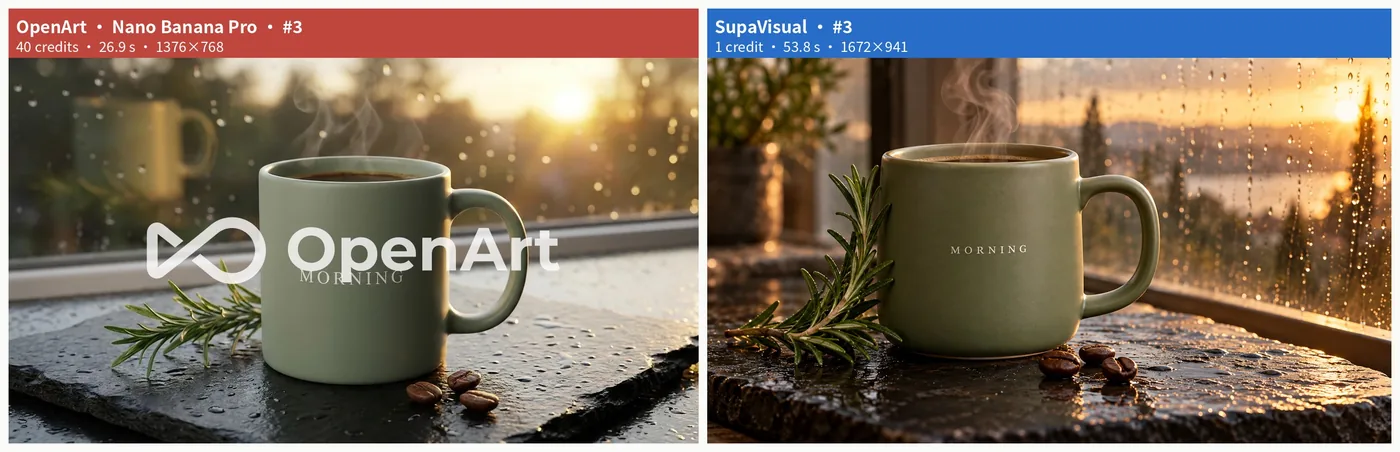 Third mug comparison: OpenArt Nano Banana Pro beside SupaVisual; both passed the six-item checklist.
Details 1–3: lettering, beans, and steam
OpenArt’s first “MORNING” was recognizable but cream-colored rather than white, with part beneath the centered watermark: partial credit. Two of its three beans appeared joined, earning another partial. SupaVisual’s first mug had legible lettering and three distinct beans. Both first images passed the steam-curl check; OpenArt’s second showed steam without a clearly defined curl. For an ad still, those distinctions matter across a 6-item brief.
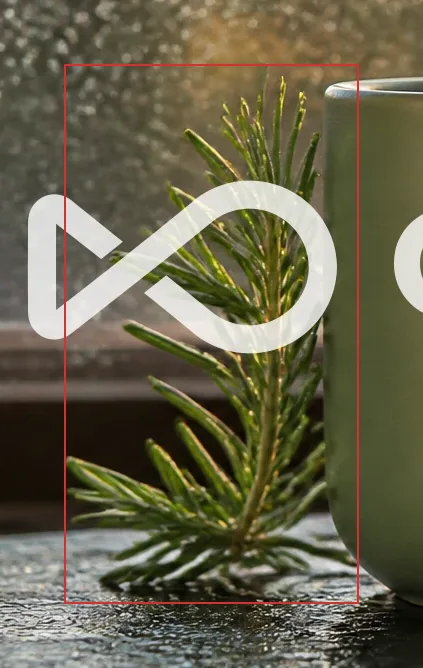 Close-up of the left-side twig in OpenArt’s first mug image.
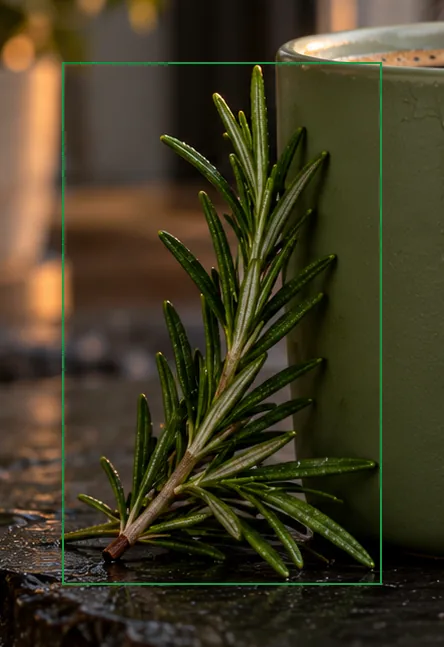 Close-up of the rosemary beside SupaVisual’s first mug.
Details 4–6: rosemary, rain, and wet slate
OpenArt’s first plant looked more like fir or spruce than rosemary: a fail. Its second was ambiguous, earning partial credit; its Nano Banana Pro and all three SupaVisual images passed. Both products got the rainy window and reflective wet slate right in all three images. Those 2 background details deserve credit even though the first 2 OpenArt mugs appeared empty beneath their steam and its third added a ghostly mug shape. I kept those extra defects separate from the 6-item checklist.
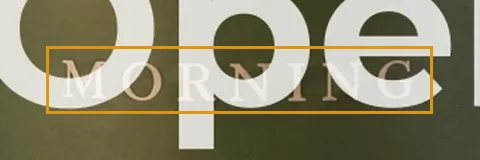 OpenArt’s first mug lettering, partly covered by the mark in the downloaded image.
The tally: OpenArt 14/18, SupaVisual 18/18
At 1 point per pass and 0.5 per partial, OpenArt scored 4/6, 4/6, and 6/6. SupaVisual scored 6/6 each time. The Nano Banana Pro result shows OpenArt can meet the checklist, unlike its two cheaper GPT Image 2 results.
- Checklist total — OpenArt 14/18 · SupaVisual 18/18 · SupaVisual leads by 4 points.
- Best individual image — OpenArt 6/6 · SupaVisual 6/6 · tie on the checklist.
- Credits for that best image — OpenArt 40 · SupaVisual 1 · OpenArt charges 40× the credits.
I tested OpenArt on Free and SupaVisual on Hobbyist. Watermark findings concern those accounts; dollar comparisons use their cheapest commercial-use plans.
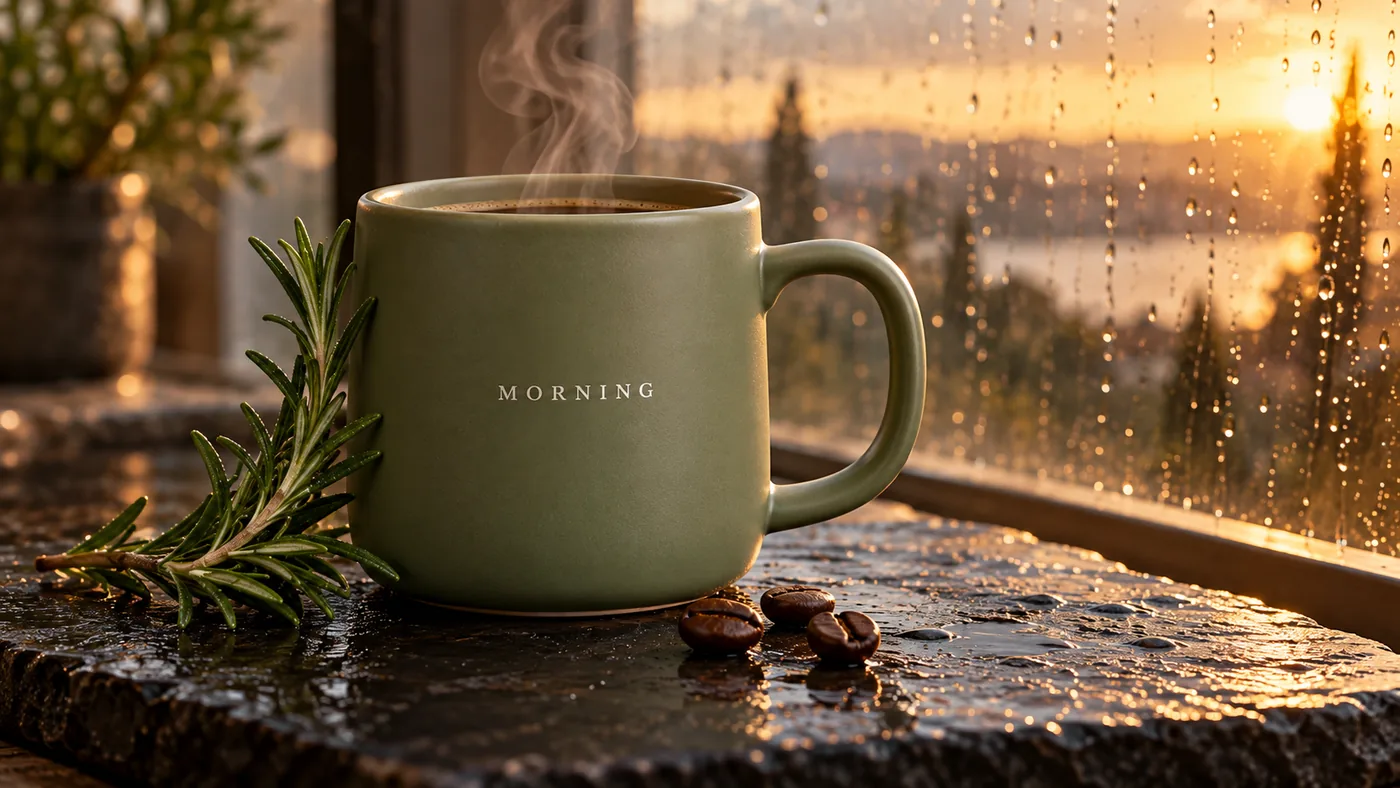 SupaVisual’s third 1672×941 PNG, which passed all 6 mug-prompt checks.
The watermark sits on the product
I inspected the downloads, not just the previews. OpenArt’s logo was burned into the center of all 3 Free-account mug files, interfering with “MORNING” in the first. Cropping out the center would remove the product. SupaVisual’s 3 PNGs had no watermark, so I could inspect the lettering directly. Even OpenArt’s 6/6 Nano Banana Pro image retained the logo in its 0.12 MB WEBP. That Free-account file was not a finished mug listing image.
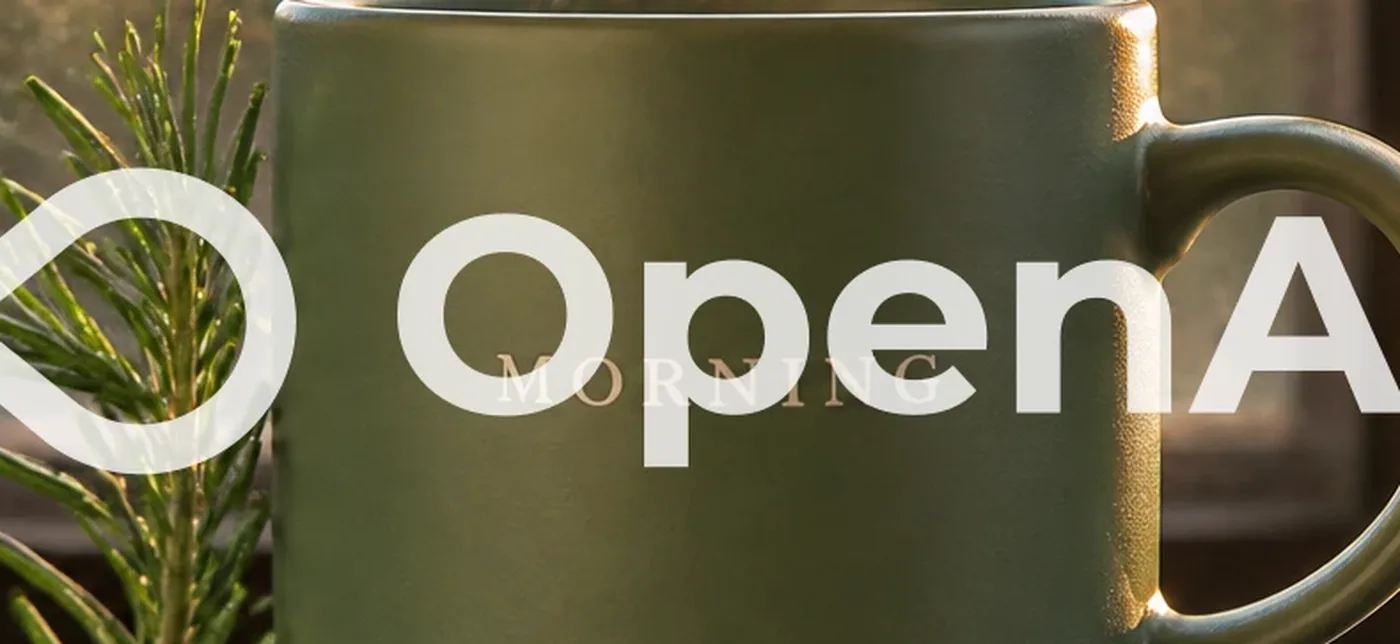 Center of OpenArt’s first raw mug file, showing the watermark in the image pixels.
Price per image: where OpenArt is cheaper
OpenArt has a real price win: GPT Image 2 costs $0.014 per image on Plus, against $0.024 on SupaVisual Hobbyist. SupaVisual costs 1.69× as much in that row. Plus offers 2,400 such images per month for $34; Hobbyist offers 800 for $19. Credits are not interchangeable when actions carry different charges.
- GPT Image 2 image — OpenArt $0.014, 5 credits · SupaVisual $0.024, 1 credit · SupaVisual costs 1.69× as much.
- Nano Banana Pro image — OpenArt $0.11, 40 credits · SupaVisual $0.024, 1 credit · OpenArt costs 4.76× as much.
That $0.014 bought 4/6 in both GPT Image 2 runs, against SupaVisual’s 6/6. OpenArt’s image that tied at 6/6 cost $0.11 instead of $0.024. The cheaper row does not settle my mug purchase.
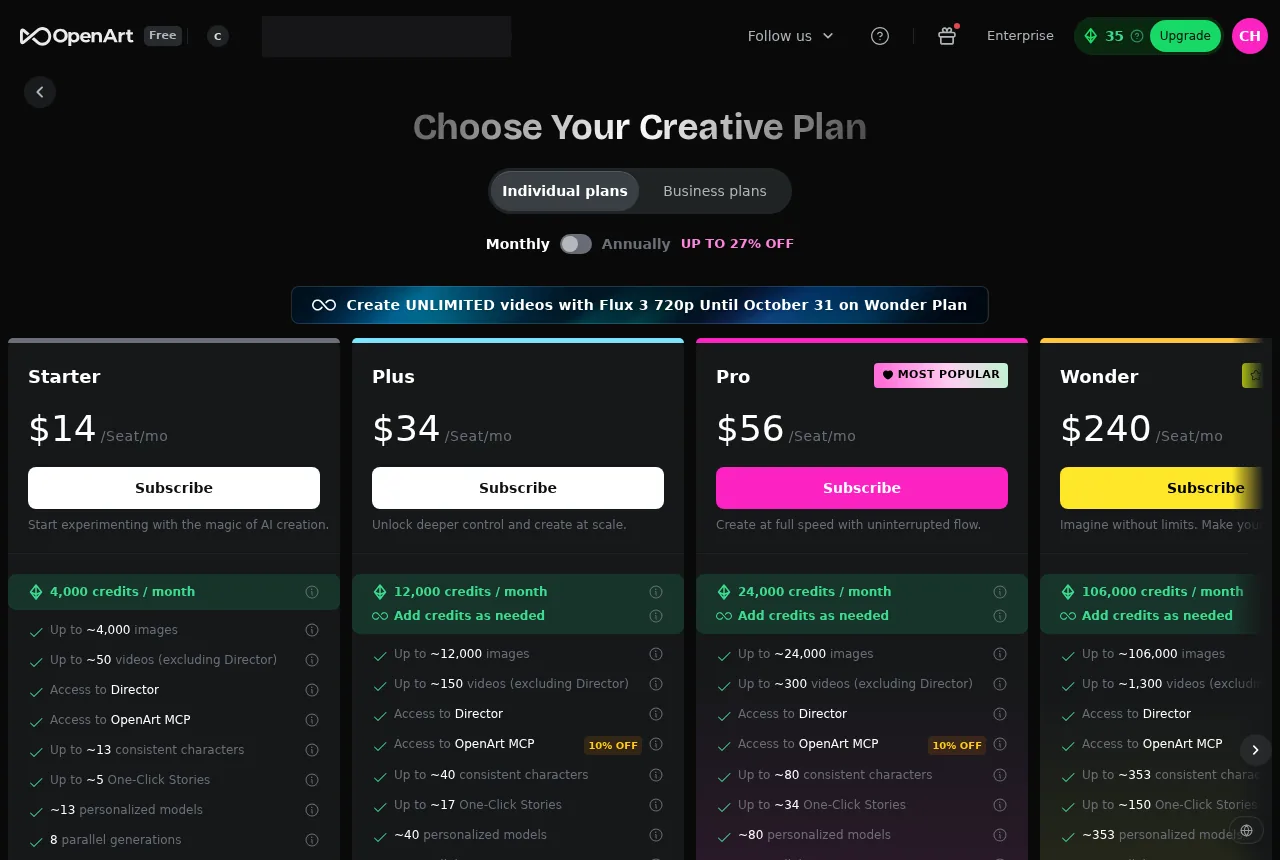 OpenArt’s monthly pricing cards, including Plus at $34 for 12,000 credits.
Speed: I concede both OpenArt image wins
I timed Generate to the result on screen. OpenArt’s GPT Image 2 took 20.8 s against SupaVisual’s 48.7 s: OpenArt was 2.3× faster. Its Nano Banana Pro took 26.9 s, a 1.8× speed win against 48.7 s. I would not hide either advantage.
But the $0.014 GPT Image 2 outputs scored 4/6, while the 6/6 Nano Banana Pro image cost $0.11 against SupaVisual’s $0.024. At 300 mugs a month, the serial stopwatch figures are about 1.8 h for OpenArt’s GPT Image 2 and 4.1 h for SupaVisual. Speed is a reason to choose OpenArt if those detail misses are acceptable.
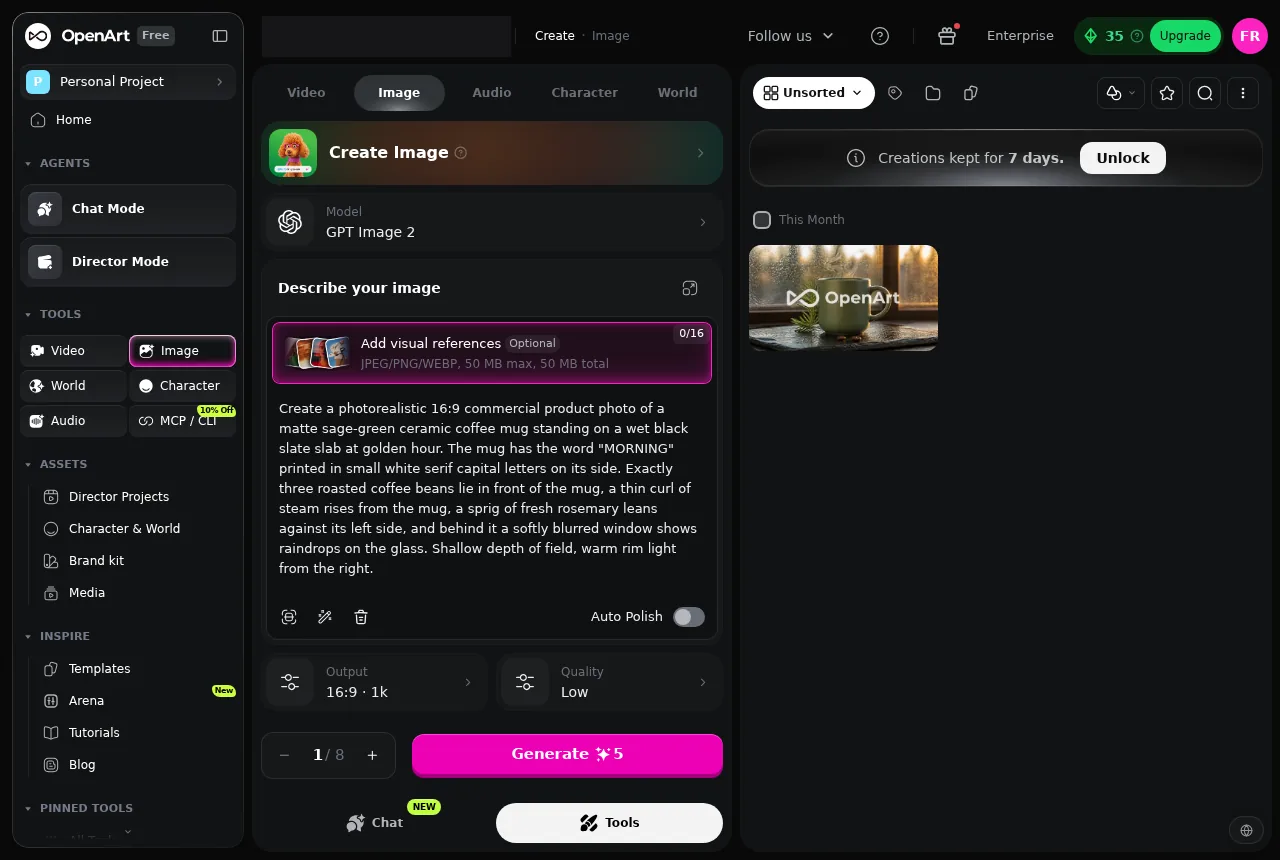 OpenArt’s first GPT Image 2 result after 21.3 s on the UI stopwatch.
What I downloaded, and how the flow felt
OpenArt’s GPT Image 2 downloads were 1792×1008 WEBPs at 0.26 MB and 0.22 MB; its Nano Banana Pro WEBP was 1376×768 and 0.12 MB. SupaVisual delivered 1672×941 PNGs at 2.12 MB, 2.32 MB, and 2.23 MB. On 12 Mbps 4G, the first OpenArt file’s estimated download was 0.17 s against 1.41 s for the first SupaVisual PNG: a genuine small-file advantage, though the PNG was unmarked. The visible balances moved 40 → 35 and 13 → 12 for the first mug on each side.
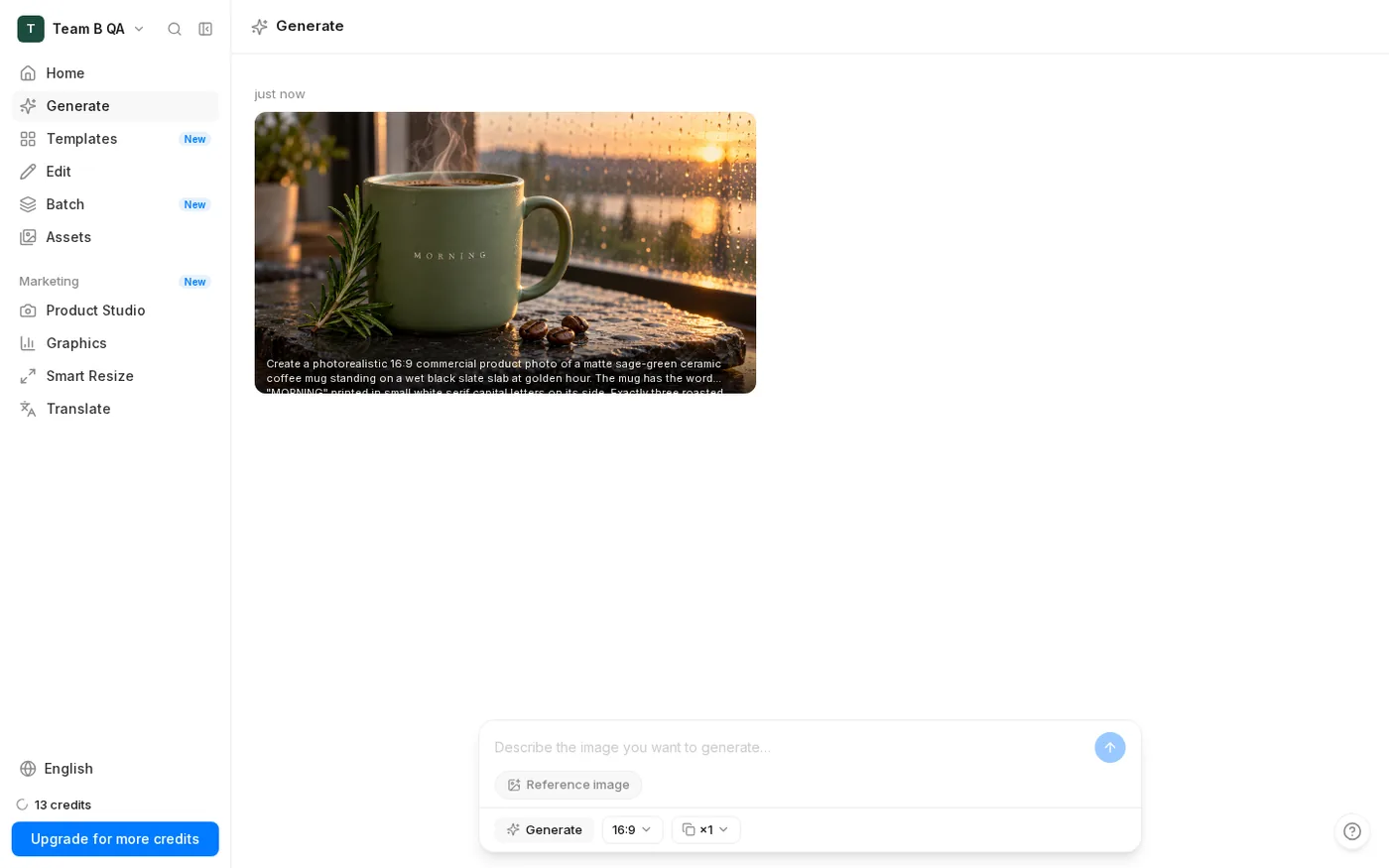 SupaVisual’s first mug result after 48.7 s on the UI stopwatch.
One edit explains the credit trade
Editing was a side check. With the same bottle photo and prompt, OpenArt’s Seedream 5.0 Pro charged 30 credits and took 100.8 s; SupaVisual charged 1 credit and took 70.1 s. That OpenArt edit used the credits of 6 GPT Image 2 images, but won this checklist 6/6 against 5/6 by keeping the label fine print closer.
OpenArt’s Nano Banana Pro edit was faster: 29.1 s against SupaVisual’s 62.5 s, a 2.1× win. It charged 40 credits against 1. Across both edits, OpenArt led 11.5/12 to 10/12. I would budget edits separately from the cheaper mug images.
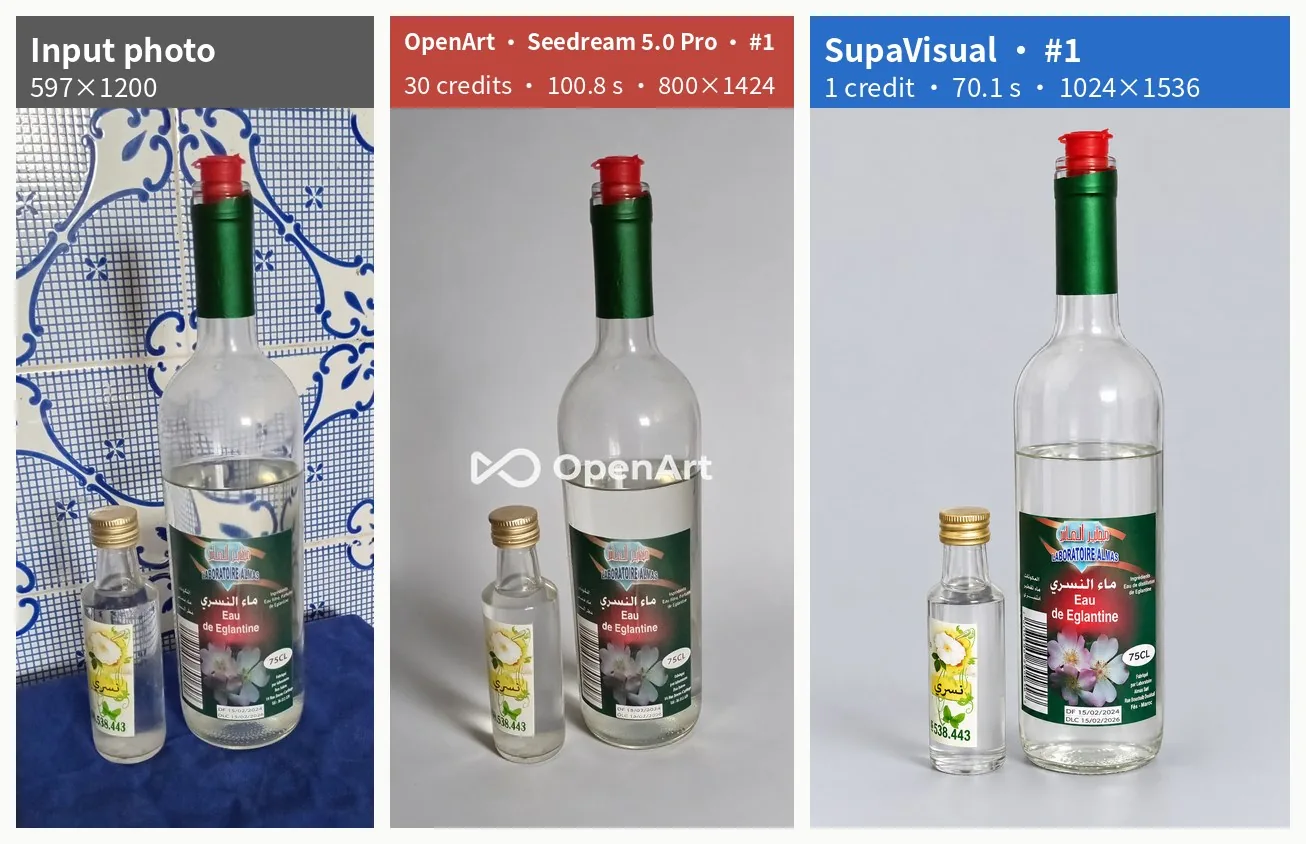 The input bottle photo followed by OpenArt Seedream 5.0 Pro and SupaVisual edits from the same prompt.
Final verdict: OpenArt scores 60/100 for coffee-mug product images
OpenArt earns its 60 for GPT Image 2’s 2.3× speed advantage and lower $0.014 image price against $0.024. Its Nano Banana Pro image also tied SupaVisual at 6/6. But my OpenArt mugs totaled 14/18 against 18/18, and all 3 Free downloads put a logo over the subject. The 6/6 OpenArt option cost $0.11 rather than $0.014. For a finished mug still, I prefer SupaVisual’s unmarked 6/6 result at $0.024, despite its 48.7 s wait.
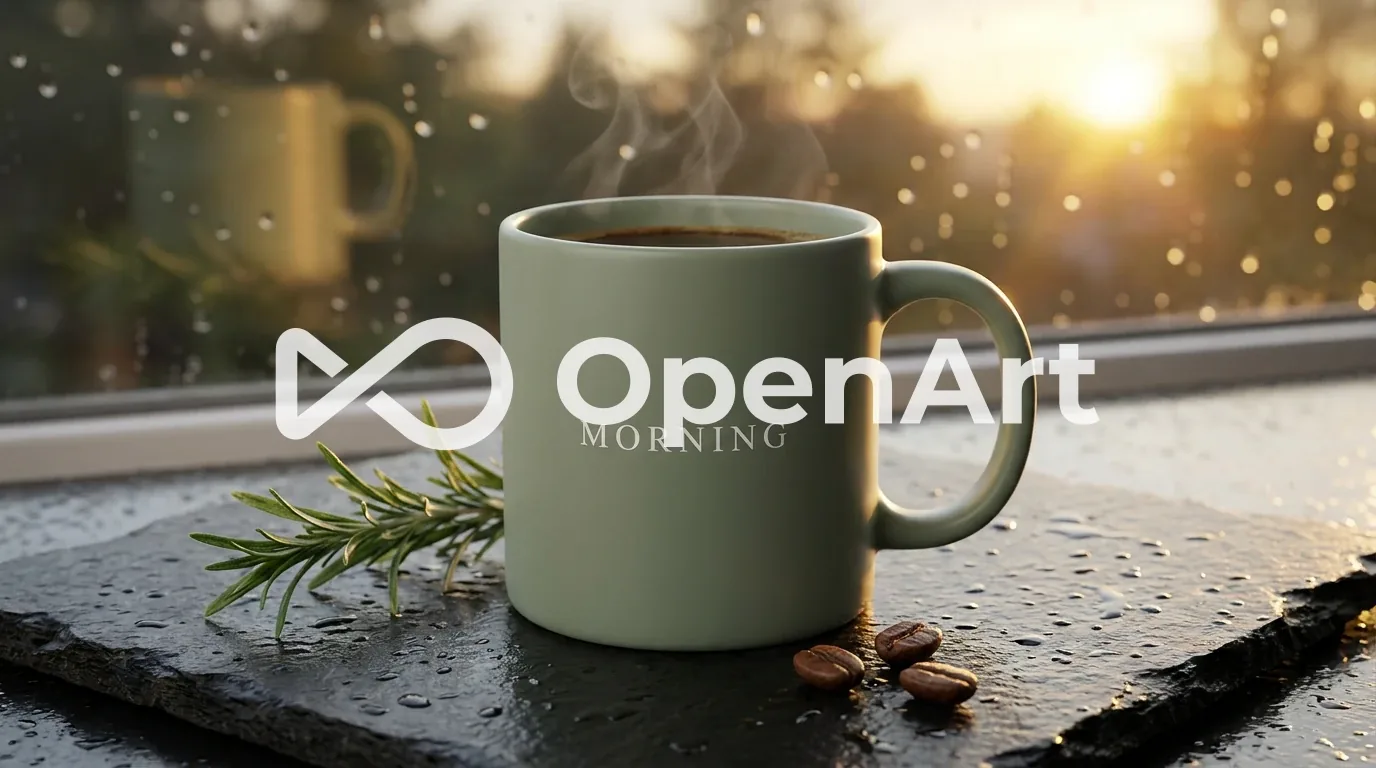 OpenArt’s downloaded Nano Banana Pro WEBP: a 1376×768 mug image with a 6/6 checklist score and centered logo.
Which one I would use for this job
For readable “MORNING,” exactly 3 separate beans, and rosemary, I would choose SupaVisual’s unmarked 6/6 PNG at 1 credit. I would choose OpenArt’s GPT Image 2 only when 20.8 s and $0.014 outweigh its two 4/6 results.
I would start with the exact prompt above at https://supavisual.com, then inspect the downloaded file—not just the preview—for the six details before publishing a product image.
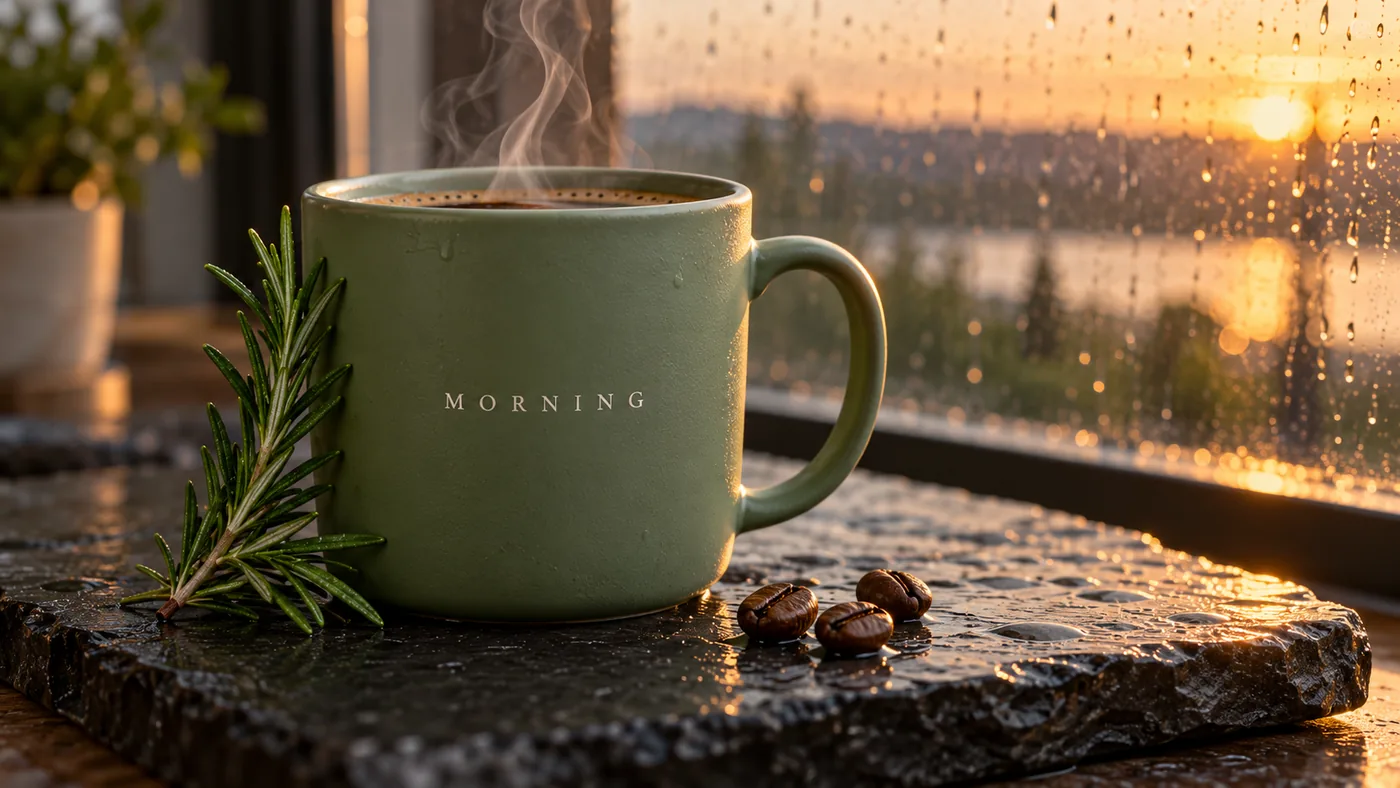 SupaVisual’s first downloaded mug PNG: 1672×941, 2.12 MB, and 6/6 on the checklist.
Originally published on Medium: OpenArt AI Image Generator Review 2026: A Coffee Mug Scored 14 of 18.