If you're comparing an ai photo editor for product shots, this hands-on test shows how OpenArt and SupaVisual handled bottle labels and background cleanup. It also covers credit costs, free-download watermarks, file formats, and commercial use.
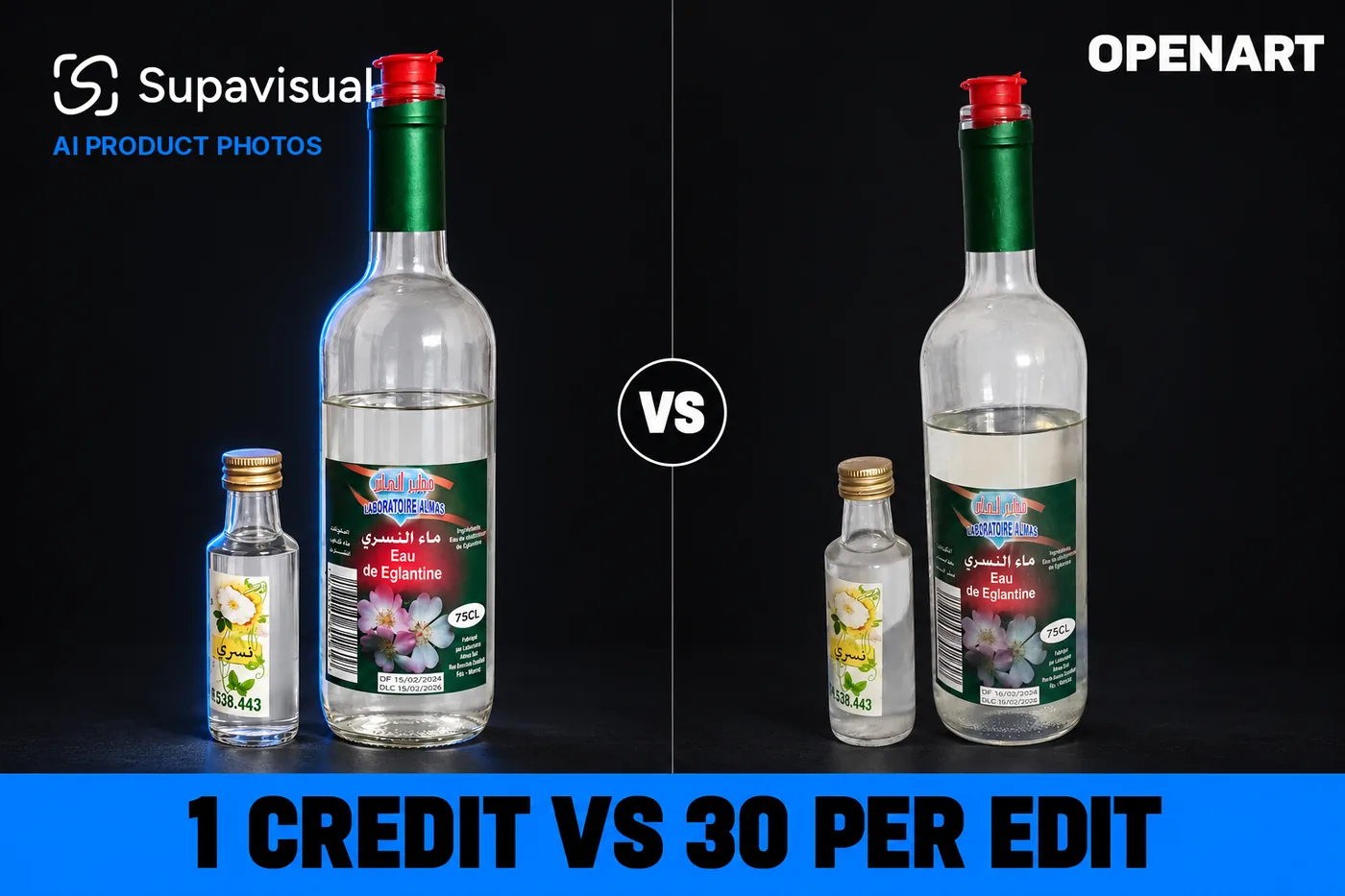
I gave OpenArt and SupaVisual the same phone snapshot and the same e-commerce edit prompt. OpenArt scored higher on the full edit checklist at 11.5/12 versus SupaVisual’s 10/12, but OpenArt charged 30 or 40 credits per edit, stamped both Free-plan downloads with a logo, and returned smaller WEBP files.
I tested a small-shop job: replace a tiled wall and blue cloth without changing two bottles or their labels. The edit checklist favored OpenArt, 11.5/12 to 10/12; SupaVisual charged just 1 credit per edit.
The paid comparison was SupaVisual Hobbyist at $19 for 800 credits, documented at https://supavisual.com, while OpenArt ran on Free for the hands-on files and was priced against Plus at $34 for 12,000 credits when commercial-use costs mattered.
My verdict in 60 seconds — OpenArt 66/100, SupaVisual 82/100
The label-fidelity win did not outweigh 30–40 credits per edit, a logo in the free downloads, and the $34 plan required for commercial use.
My scorecard:
- Label fine print kept — OpenArt 9/10 · SupaVisual 6/10 — OpenArt scored 11.5/12 versus SupaVisual’s 10/12
- Big label text and caps — OpenArt 9/10 · SupaVisual 9/10 — both kept the 4 visible product details
- Background cleanup — OpenArt 9/10 · SupaVisual 9/10 — tiles and blue cloth disappeared in 2 edits each
- Credits per edit — OpenArt 3/10 · SupaVisual 10/10 — OpenArt charged 30 or 40 credits versus 1
- Speed per edit — OpenArt 8/10 · SupaVisual 6/10 — OpenArt Nano Banana Pro took 29.1 seconds versus SupaVisual’s 62.5 seconds
- Watermark on the result — OpenArt 0/10 · SupaVisual 10/10 — OpenArt marked 2 of 2 free edits; SupaVisual marked 0
- File download — OpenArt 6/10 · SupaVisual 9/10 — OpenArt returned 0.06–0.10 MB WEBP files; SupaVisual returned 1.83–1.86 MB PNG files
- Commercial license — OpenArt 3/10 · SupaVisual 9/10 — commercial use starts at $34 on OpenArt; Hobbyist costs $19
The concrete OpenArt problems:
- OpenArt’s default edit cost 30 credits and took 100.8 seconds.
- OpenArt’s faster premium edit cost 40 credits, enough for 8 GPT Image 2 images.
- The logo was burned into 2 of 2 free downloads, not just the preview page.
If every word of the label must survive untouched, OpenArt's default editor was the more faithful one in my test. For a shop editing product photos every week, I would still use SupaVisual for the bill—and proofread the label on every result.
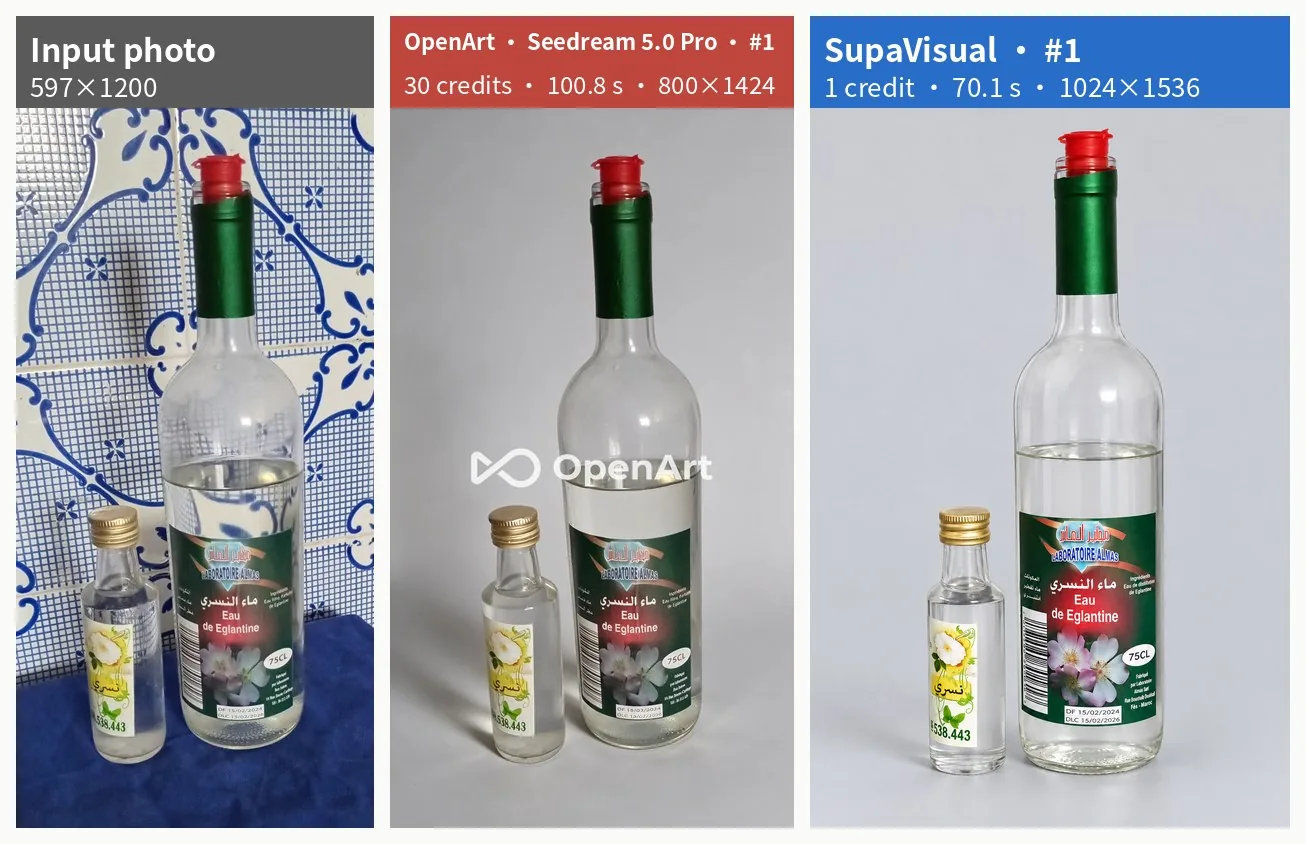 The input photo, OpenArt edit #1, and SupaVisual edit #1 shown side by side.
The job: turn a phone snapshot into a listing photo
I uploaded the same 597×1200 JPEG on both sides and used this identical prompt:
“Turn this phone snapshot into a clean e-commerce product photo. Keep both bottles exactly as they are, including every label, the red cap on the tall bottle and the gold cap on the small bottle. Replace the tiled wall and the blue cloth with a seamless light-grey studio background, add a soft natural shadow under the bottles, and do not add any other objects or text.”
I scored 6 details per edit: legible “Eau de Eglantine,” retained “75CL” and both cap colors, removed tiles and cloth, and no added objects or text.
The input was a CC0 photo. I checked the edit menu at https://openart.ai and timed Generate to the on-screen result: 100.8 seconds for the first OpenArt edit and 70.1 seconds for the first SupaVisual edit.
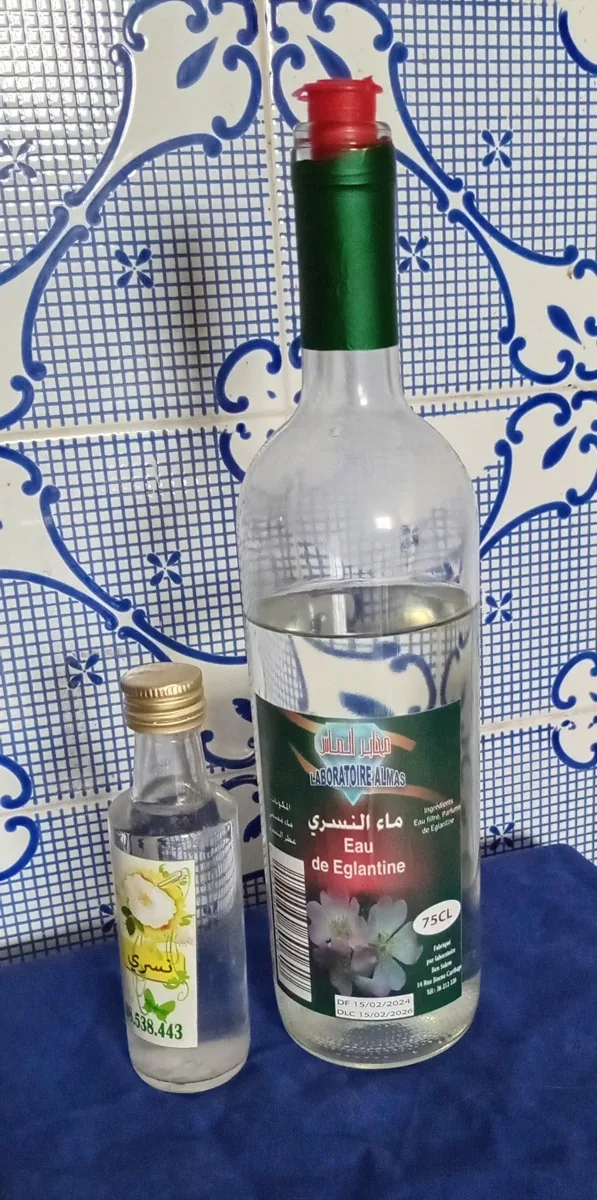 The 597×1200 JPEG input photo uploaded unchanged to OpenArt and SupaVisual.
OpenArt Edit Image, default model: 30 credits and 100.8 seconds
I selected Seedream 5.0 Pro in Edit Image’s Describe mode. The balance fell from 40 to 10 credits; the result appeared after 100.8 seconds.
The result kept “Eau de Eglantine,” “75CL,” both caps, and neither unwanted background element: 6/6. Its 800×1424 WEBP weighed 0.10 MB.
OpenArt's 6/6 was the best single edit score. At 30 credits, it cost as many credits as 6 GPT Image 2 images.
The downloaded OpenArt file still had a logo burned into its center. A 6/6 checklist score did not make this Free-plan file storefront-ready.
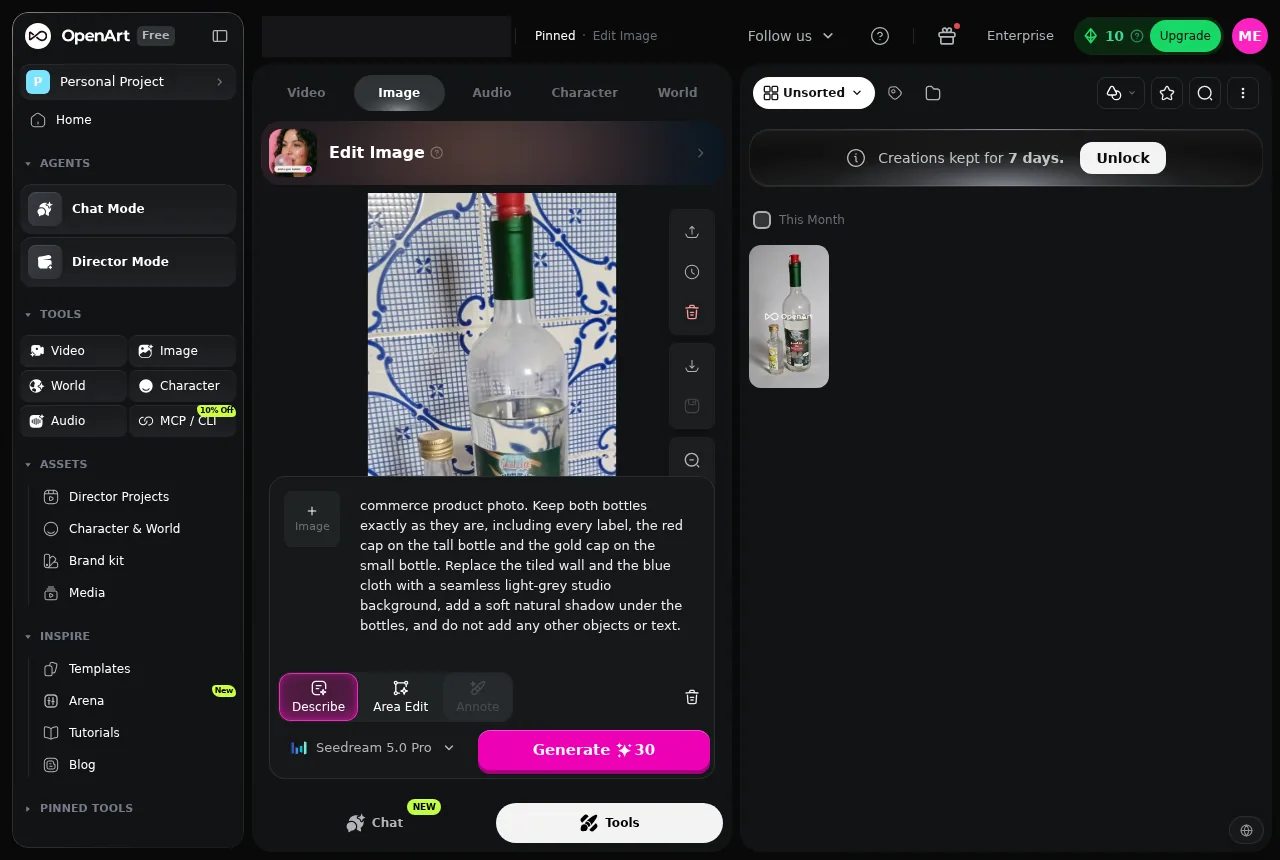 OpenArt Seedream 5.0 Pro edit #1 after 100.8 seconds, with the balance still displayed at 10.
OpenArt with the premium editor: 40 credits and 29.1 seconds
I tried OpenArt's Nano Banana Pro next. Its 29.1-second result beat SupaVisual’s 62.5-second edit comparison by 2.1×.
That speed cost 40 credits: the balance fell from 40 to 0. The 768×1376 WEBP weighed 0.06 MB and scored 5.5/6.
The OpenArt edit kept the product name, “75CL,” caps, and background. The production and best-before dates did not: characters at the bottom of the label became corrupted. I would inspect that text before publishing.
At 40 credits, this edit cost as many credits as 8 GPT Image 2 images and still had a center watermark.
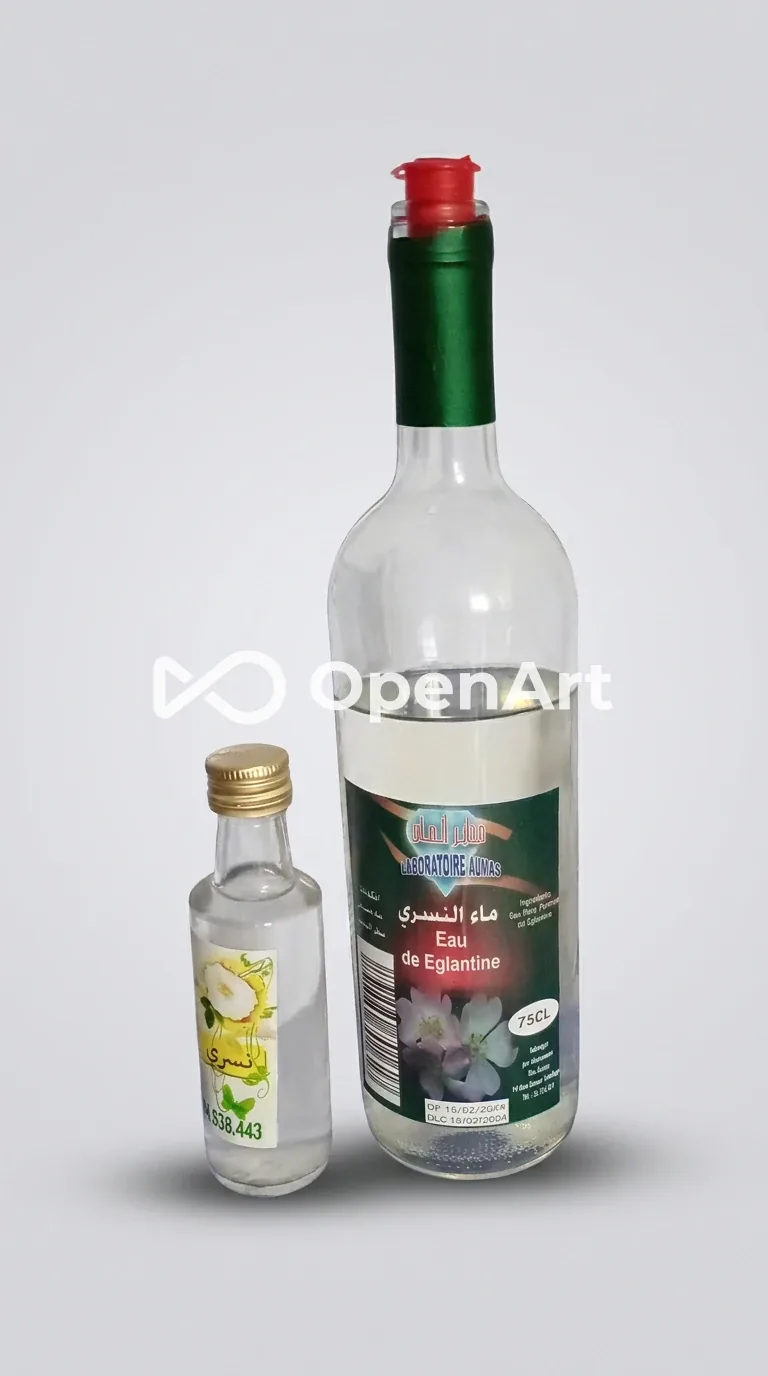 OpenArt Nano Banana Pro edit #2, a 768×1376 WEBP weighing 0.06 MB with the center logo visible.
SupaVisual: same photo, same prompt, 1 credit
SupaVisual attached the uploaded photo as the only reference image on the generate page and charged 1 credit per edit. SupaVisual’s own image model returned the first result in 70.1 seconds and the second in 54.9 seconds.
The two 1024×1536 PNG downloads weighed 1.83 MB and 1.86 MB. Both kept the product name, “75CL,” both caps, and the light-grey background; each scored 5/6.
The missing checklist point was “no added objects or text.” SupaVisual rewrote the small right-hand label column in both results. One version changed the ingredient wording and inserted an address absent from the input; the other changed the ingredient wording and added storage text.
Exact label preservation was the weakness; each edit still cost 1 credit, against Seedream 5.0 Pro’s 30.
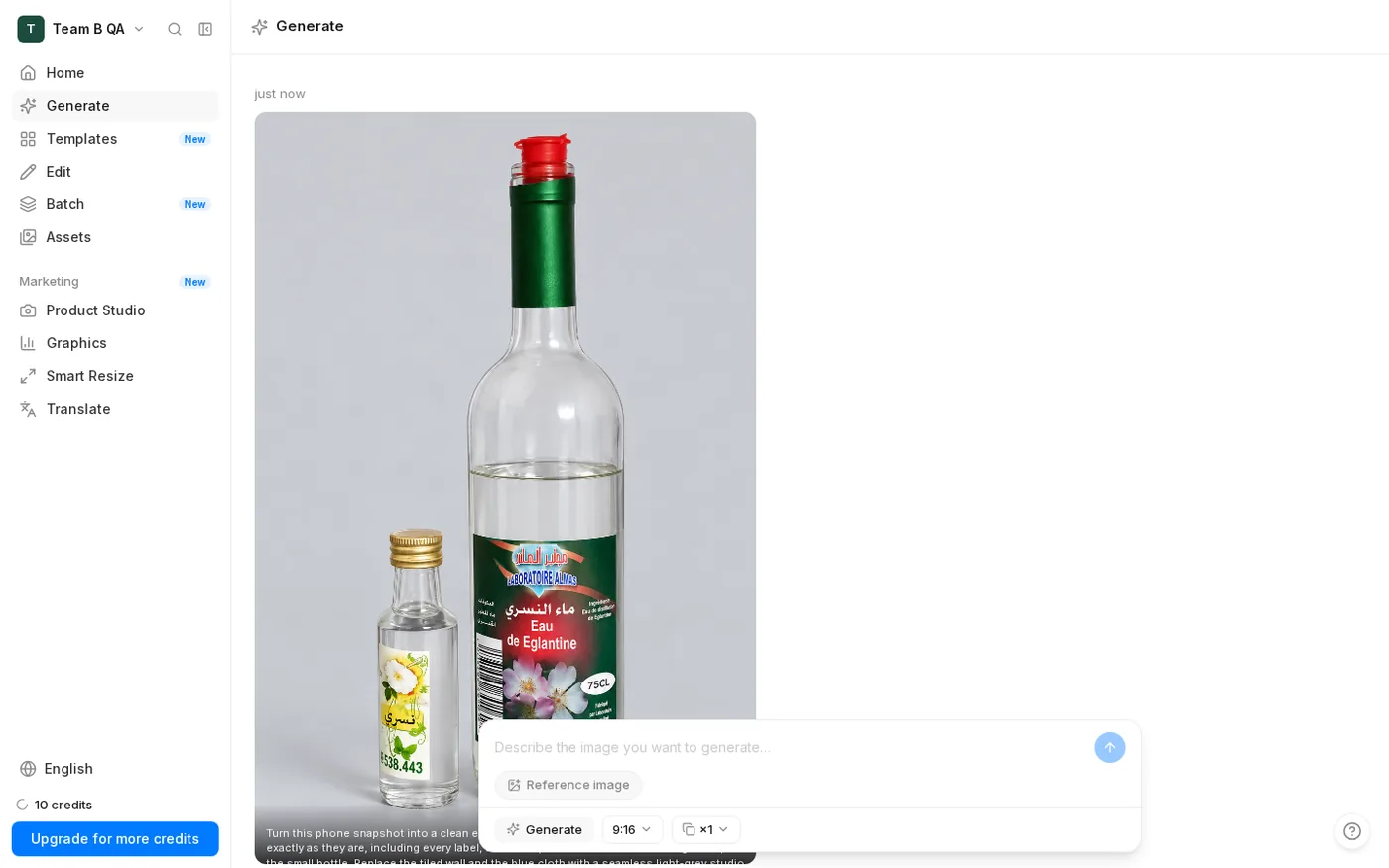 SupaVisual edit #1 after 70.1 seconds, with the balance displayed at 10.
Side by side: the big label details survived
Across all 4 edited files, “Eau de Eglantine,” “75CL,” and both cap colors survived in 4/4. The smaller print separated the results.
The checklist totals were 11.5/12 and 10/12, respectively.
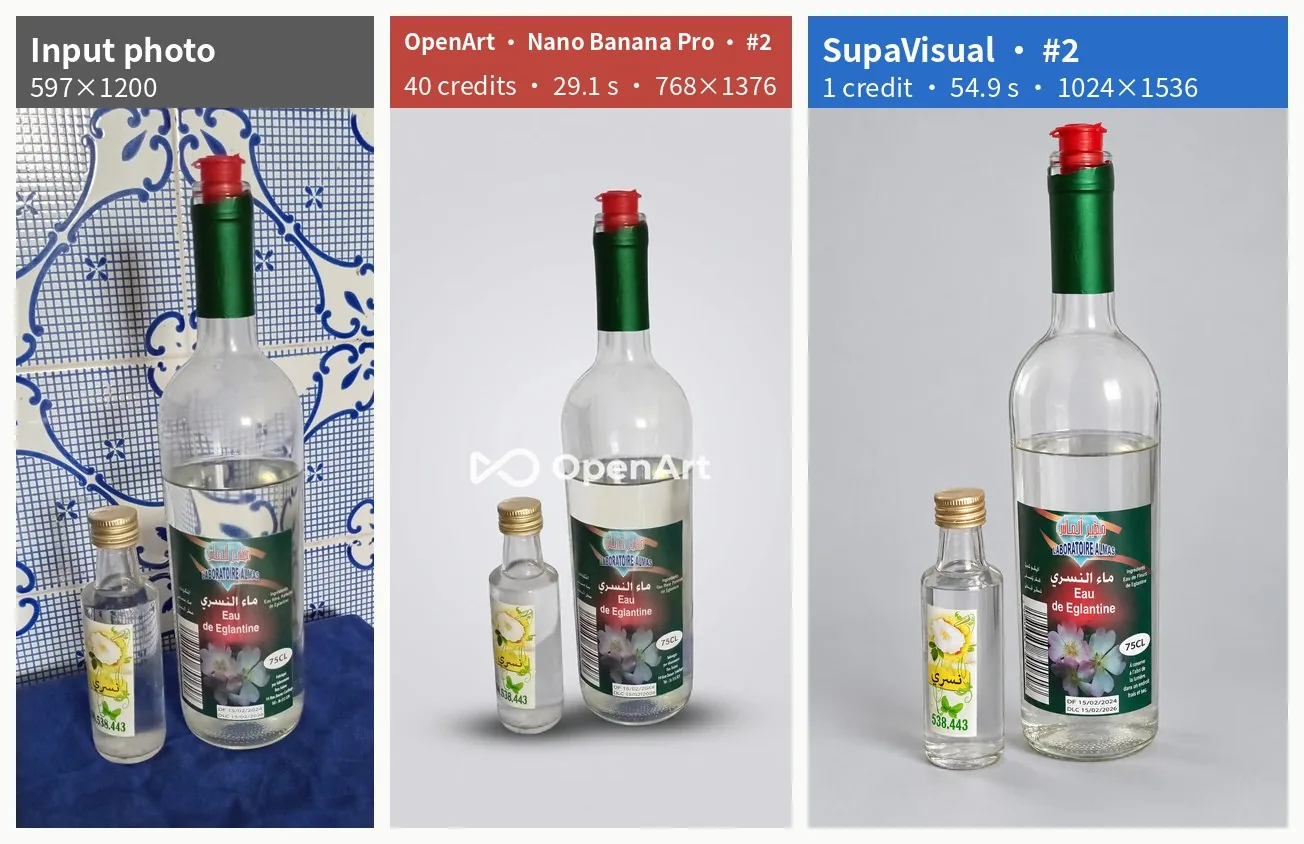 The input photo, OpenArt edit #2, and SupaVisual edit #2 shown side by side.
The fine print: where SupaVisual lost points
The bottle silhouette and studio background survived, but the small right-hand label column was rewritten in 2/2 edits.
Seedream scored 6/6; Nano Banana Pro scored 5.5/6 because its date text became corrupted. Both retained the larger label text and caps.
OpenArt's 1.5-point lead out of 12 is a real win when ingredient and date text matters.
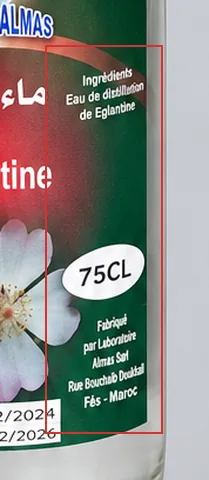 SupaVisual edit #1 close-up showing the rewritten right side of the bottle label.
Background, caps and the big label text
Both tools removed the tiles and cloth in 2/2 edits and retained both cap colors in all 4 files. The large label text and “75CL” also survived in 4/4. Those visible successes do not excuse altered fine print: I would check every label before publishing a listing.
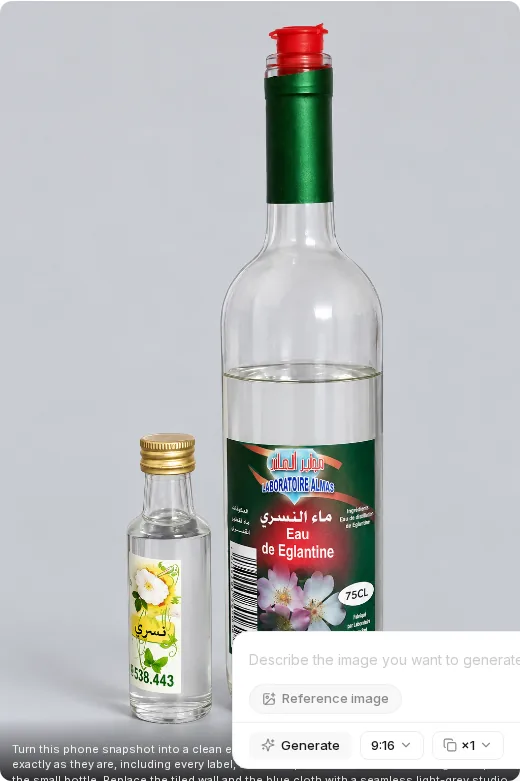 SupaVisual edit #1 preview: the 2 bottles against the replacement studio background.
The watermark lands on the product
The center logo was burned into 2/2 downloaded Free-plan edits: the 0.10 MB Seedream file and the 0.06 MB Nano Banana Pro file.
The OpenArt logo was not a page overlay. Cropping out a logo across the product would damage the composition; neither Free-plan download was a clean listing asset.
Neither PNG had a watermark. They were larger—1.83 MB and 1.86 MB—but clean of the center logo.
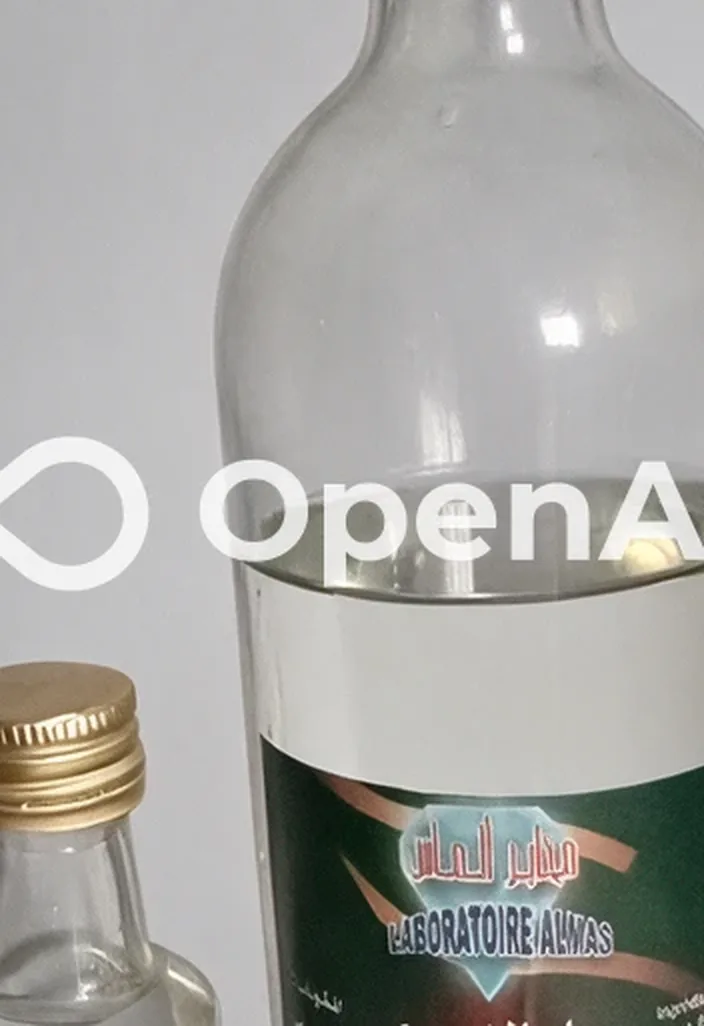 The center of the OpenArt edit #1 file with the OpenArt watermark baked into the pixels.
What an edit costs on each side
For commercial use, Plus costs $34 for 12,000 credits; Hobbyist costs $19 for 800. Per edit, that means $0.085 for Seedream 5.0 Pro, $0.11 for Nano Banana Pro, and $0.024 for SupaVisual.
I also checked OpenArt’s Generate-button quotes after uploading the same photo: Change Background showed 40 credits, Image Upscale 25, Expand Image 40, and Image Variations 5. Those were quotes, not completed runs. SupaVisual charges 1 credit per AI action, including an edit, background change, upscale, or expand. One OpenArt Seedream edit used the credits of 6 GPT Image 2 images; one Nano Banana Pro edit used the credits of 8.
- Seedream 5.0 Pro edit — OpenArt 30 credits · SupaVisual 1 credit · OpenArt costs 3.57× as much
- Nano Banana Pro edit — OpenArt 40 credits · SupaVisual 1 credit · OpenArt costs 4.76× as much
- Edits per month — OpenArt 400 Seedream edits or 300 Nano edits · SupaVisual 800 edits · 2× to 2.67× more SupaVisual edits
- 100 Seedream edits — OpenArt 3,000 credits · SupaVisual 100 credits · OpenArt uses 30× more credits
Annual-billing cards showed Starter at $13, Plus at $27, Pro at $44, and Wonder at $175 per month. The edit comparison above uses monthly prices: $34 and $19.
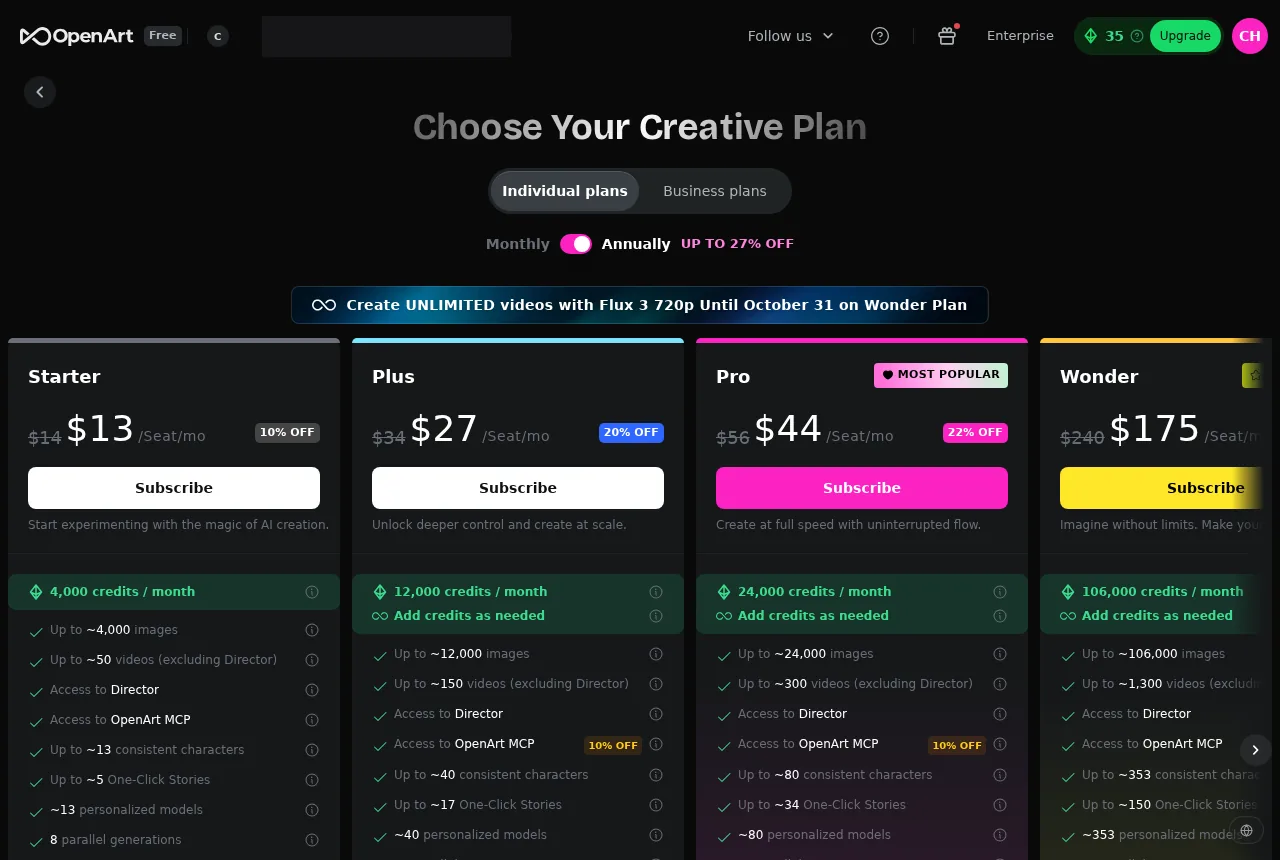 OpenArt’s annual-billing pricing cards for Starter, Plus, Pro, and Wonder.
Where OpenArt genuinely wins
OpenArt's genuine wins are 11.5/12 label fidelity against 10/12, and Nano Banana Pro’s 29.1-second edit against 62.5 seconds.
OpenArt was quicker on images, too: GPT Image 2 took 20.8 seconds against SupaVisual’s 48.7 seconds (2.3×), and Nano Banana Pro took 26.9 seconds against 48.7 seconds (1.8×). GPT Image 2 wins the per-image price row at $0.014 on Plus against $0.024 on Hobbyist. Its 2 tested images each scored 4/6, though, and both Free-plan WEBP downloads had a center watermark. Nano Banana Pro scored 6/6, a picture-quality tie with SupaVisual’s 6/6, but cost $0.11 per image against $0.024.
The faster edit costs 40 credits and $0.11—4.76× the $0.024 alternative. The 6/6 Seedream edit costs 30 credits and takes 100.8 seconds; SupaVisual’s comparison figure is 1 credit and 62.5 seconds.
OpenArt's 0.06 MB WEBP is easier to transfer than the 1.86 MB PNG; its center logo is a worse trade for a listing.
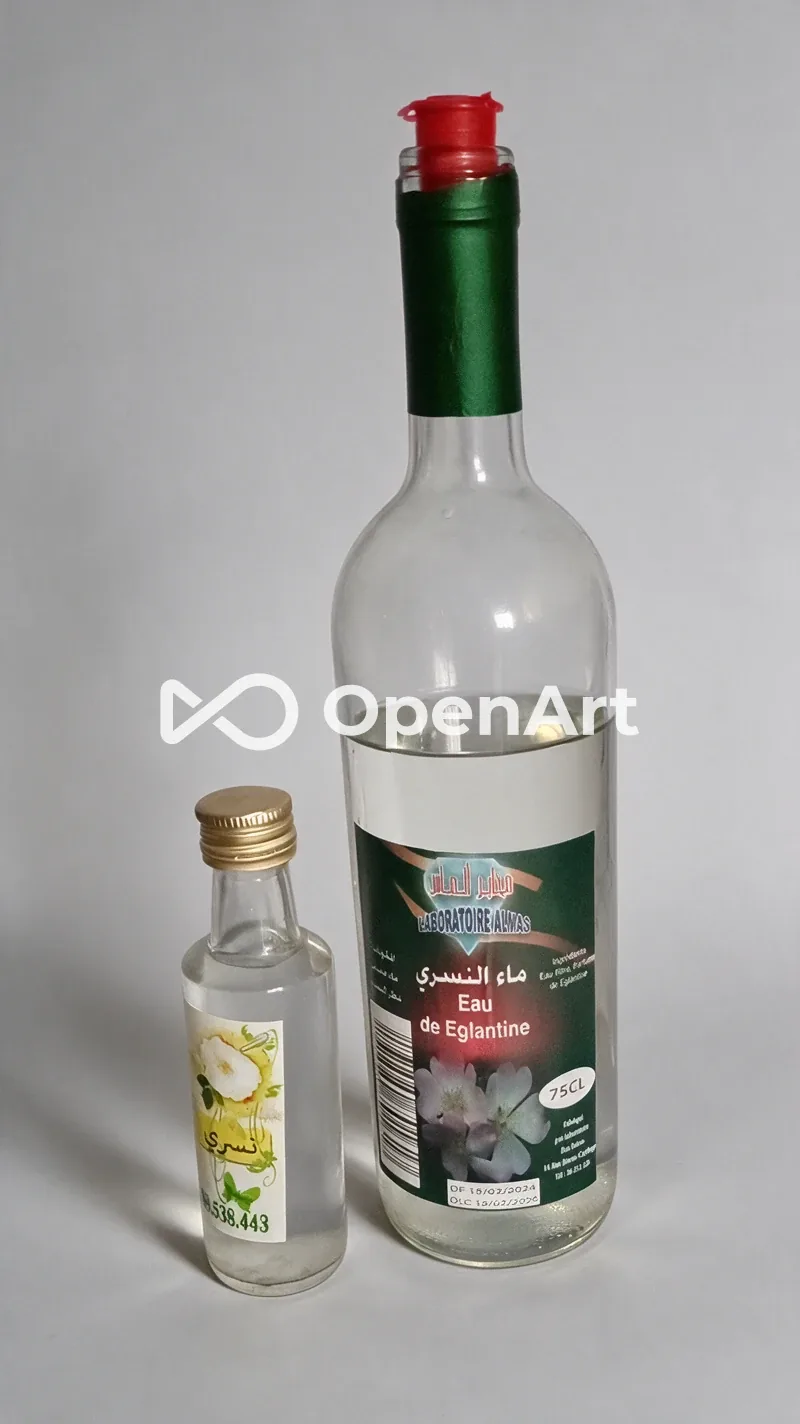 OpenArt Seedream 5.0 Pro edit #1, an 800×1424 WEBP weighing 0.10 MB.
Final verdict: OpenArt scores 66/100 for product-photo edits
Label preservation favors OpenArt, 11.5/12 to 10/12; Seedream alone reached 6/6. Nano Banana Pro also produced the faster edit at 29.1 seconds.
For repeated work, the charge is 30–40 credits per edit against 1. At the commercial-use plan prices, a Seedream edit costs $0.085 against $0.024.
Both OpenArt Free-plan WEBP edits carried a center watermark; neither 1.83–1.86 MB PNG did. The WEBPs were smaller at 0.06–0.10 MB.
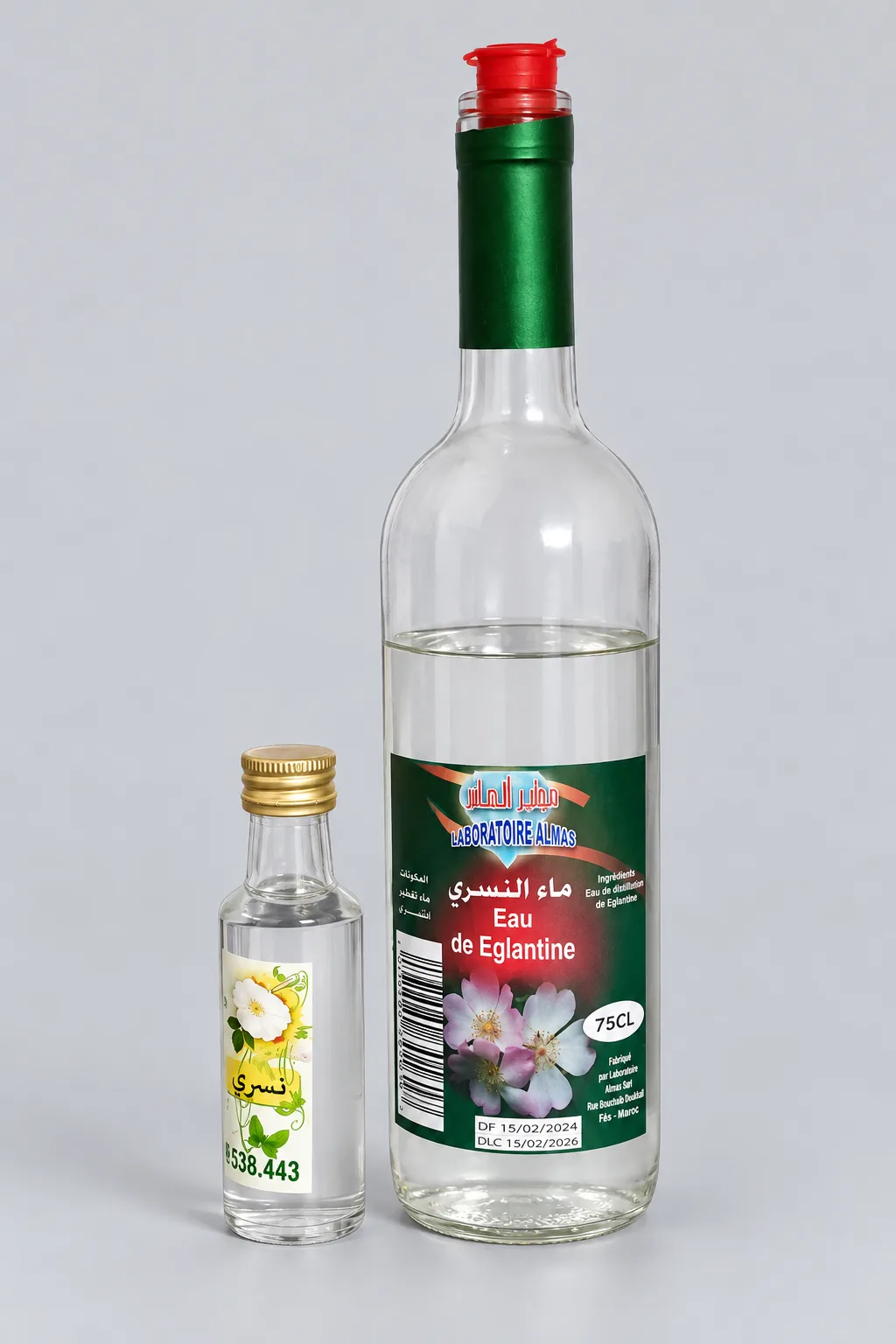 SupaVisual edit #1, a 1024×1536 PNG weighing 1.83 MB.
Which one I would use for this job
If tiny label text outweighs cost, I would consider OpenArt's Seedream 5.0 Pro: 30 credits, 100.8 seconds, and 6/6. Its Free-plan download still has a center watermark.
For a commercial shop making 40 images and 120 edits monthly, I would pick SupaVisual: 160 credits on Hobbyist at $19, versus 3,800 credits on Plus at $34 with GPT Image 2 and Seedream edits. I would still inspect the label: its small right column changed in 2/2 edits.
For the OpenArt GPT Image 2 and Seedream route, the arithmetic is 40 × 5 + 120 × 30 = 3,800 credits. Starter’s 4,000 credits cover that count, but its $14 plan excludes commercial use, so the shop needs Plus at $34. SupaVisual’s 40 × 1 + 120 × 1 = 160 credits fits Hobbyist’s 800 at $19. Serial stopwatch waiting is about 3.6 hours for the OpenArt route against 2.6 hours for SupaVisual. Choosing OpenArt Nano Banana Pro for both images and edits changes the credit count to 6,400 on Plus at $34 and cuts serial waiting to about 1.3 hours against 2.6 hours.
The product page is https://supavisual.com.
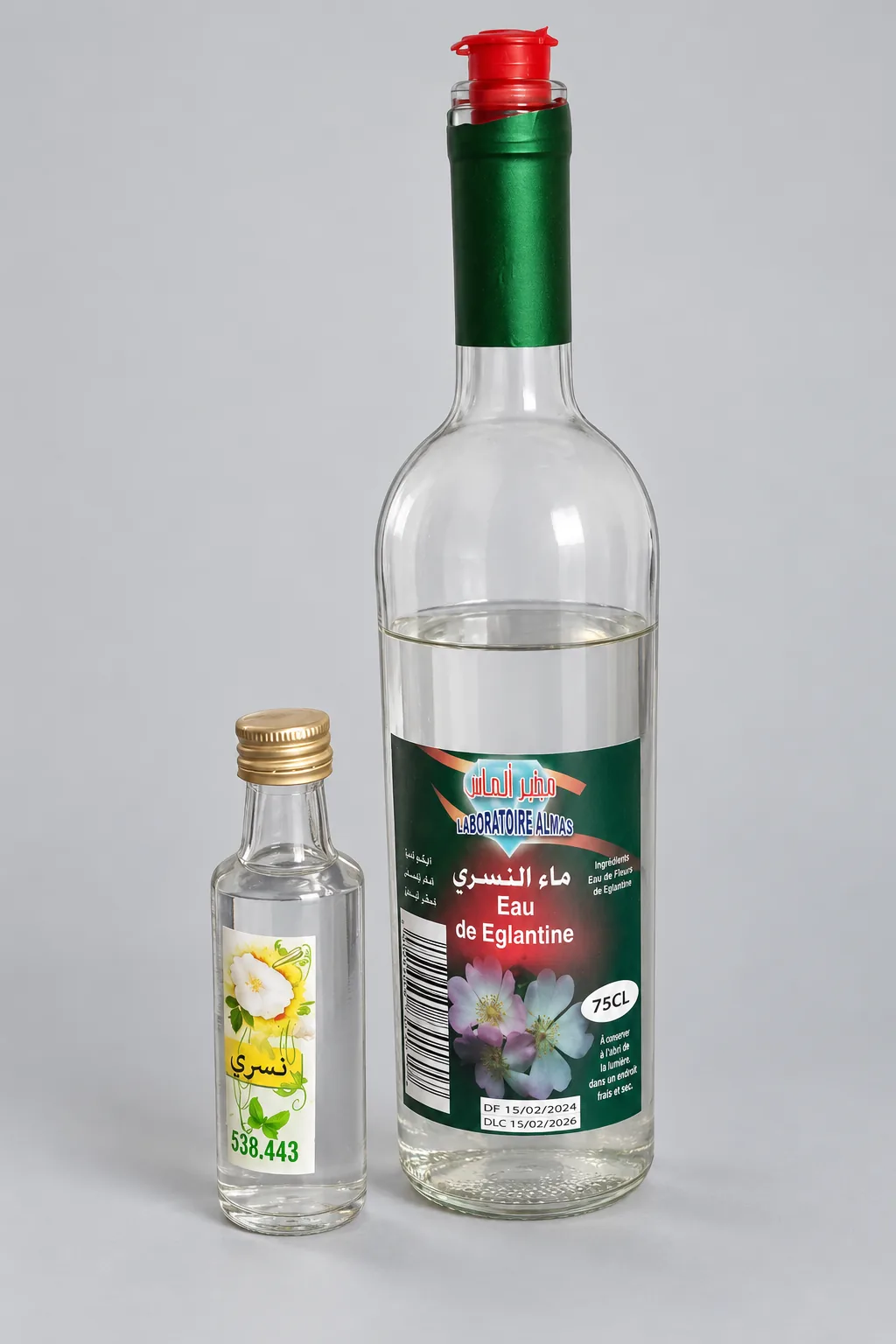 SupaVisual edit #2, a 1024×1536 PNG weighing 1.86 MB.
Originally published on Medium: OpenArt Product Photo Editor 2026: Truer Labels at 30 Credits an Edit.